Vehicle Challan, RC Status and Insurance Check Online: Complete 2026 Guide
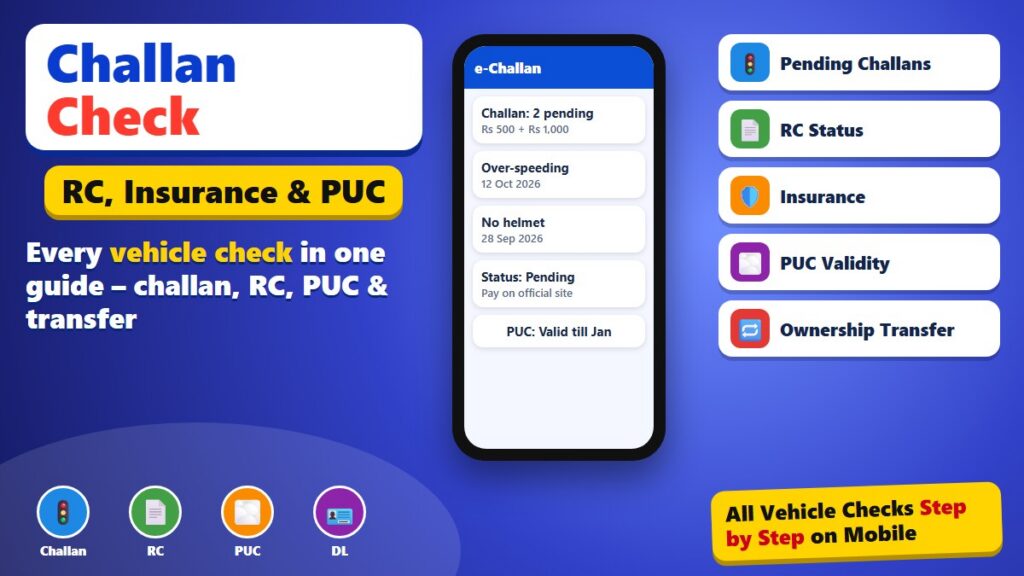
Do you want to know more about this?
क्या आप इसके बारे में और जानना चाहते हैं?
আপনি কি এ বিষয়ে আরও জানতে চান?
আপুনি এই বিষয়ে আৰু জানিব বিচাৰেনে?
શું તમે આ વિશે વધુ જાણવા માંગો છો?
तुम्हाला याबद्दल अधिक जाणून घ्यायचे आहे का?
ਕੀ ਤੁਸੀਂ ਇਸ ਬਾਰੇ ਹੋਰ ਜਾਣਨਾ ਚਾਹੁੰਦੇ ਹੋ?
ଆପଣ ଏହା ବିଷୟରେ ଅଧିକ ଜାଣିବାକୁ ଚାହାଁନ୍ତି କି?
இதைப் பற்றி மேலும் தெரிந்துகொள்ள விரும்புகிறீர்களா?
దీని గురించి మరింత తెలుసుకోవాలనుకుంటున్నారా?
ಇದರ ಬಗ್ಗೆ ಇನ್ನಷ್ಟು ತಿಳಿಯಲು ಬಯಸುವಿರಾ?
ഇതിനെക്കുറിച്ച് കൂടുതൽ അറിയണോ?
Buying a second-hand bike, renewing insurance or just worried about a traffic fine? This guide explains every common vehicle check you can do online in India: challans, RC status, insurance, fitness, PUC and ownership transfer. It uses only official services and explains what each result means. mfeto.com is not a government website.
1. All Vehicle Checks – Quick Overview
| Check | Official service | What you need | Fee |
|---|---|---|---|
| Challan / traffic fine | echallan.parivahan.gov.in | Vehicle, challan or DL number | Free to check |
| RC details | mParivahan / Parivahan VAHAN | Registration number | Free |
| Insurance status | mParivahan / IIB search | Registration number | Free |
| PUC validity | Parivahan PUC portal | Registration number | Free |
| Ownership transfer status | Parivahan application status | Application number | Free |
| Driving licence status | Sarathi (parivahan.gov.in) | DL number and date of birth | Free |
2. How to Check a Challan Step by Step
- Open echallan.parivahan.gov.in on your phone.
- Tap Check Online Services and then Get Challan Details.
- Choose search by vehicle number, enter the number and the last digits of the chassis or engine number if asked.
- Fill the captcha and tap Get Detail.
- You will see each challan with date, place, offence and amount, and whether it is pending, paid or sent to court.
3. Paying a Challan Online
Next to a pending challan you will see a Pay Now button. Payment opens the official gateway, where you can pay by UPI, debit card, credit card or net banking. Keep the receipt; the status usually changes to “Paid” within a day. Challans sent to a virtual court are paid on the court’s own e-payment page, which is linked from the challan.
4. Understanding Your RC Status
| Status | Meaning | What to do |
|---|---|---|
| Active | Registration is valid | Nothing |
| Suspended | Usually for missing fitness, tax or insurance | Contact the RTO with documents |
| Cancelled | Vehicle scrapped or de-registered | Do not buy such a vehicle |
| NOC issued | Moving to another state | Complete re-registration in the new state |
5. Checking Insurance Before You Ride
Riding without valid third-party insurance is an offence. In mParivahan, the RC page shows the insurer and the “valid till” date. The Insurance Information Bureau of India also offers a public search by registration number. If you renewed recently and the date is old, wait a few days or carry the policy copy.
6. PUC and Fitness Certificates
A Pollution Under Control certificate is required for most vehicles after the first year. Its validity is shown on the Parivahan PUC portal and in mParivahan. Transport vehicles also need a fitness certificate, renewed at set intervals; private cars need fitness renewal after 15 years.
7. Checks Before Buying a Used Vehicle
- Match the registration number, chassis and engine numbers on the vehicle with the RC.
- Check the RC status is Active and see the registration date and number of owners.
- Look for pending challans; ask the seller to clear them before the sale.
- Check insurance validity and any hypothecation (loan) shown on the RC.
- Complete the ownership transfer (Form 29 and 30) through Parivahan within the legal time.
8. Ownership Transfer Online
The transfer is applied on Parivahan under Vehicle Related Services. The seller and buyer fill the forms, upload documents, pay the fee online and then visit the RTO if your state asks for it. You can track the application with its number until the new RC is issued.
9. Driving Licence Status
Your licence details are on the Sarathi portal. Search with your DL number and date of birth to see validity, vehicle classes and any suspension. You can also renew the licence or apply for a duplicate online.
10. Digital Documents
DigiLocker and mParivahan can hold your RC, driving licence and insurance policy. These digital documents are accepted by traffic police, so you do not need to carry paper copies.
11. Common Problems and Fixes
| Problem | Likely reason | Fix |
|---|---|---|
| “Record not found” | Number typed with spaces or old series | Type without spaces; try the website |
| Wrong owner name | Transfer not updated | Check transfer application status |
| Challan shows paid but SMS says pending | Update delay | Keep the receipt; check after 48 hours |
| Insurance not shown | Insurer data delay | Carry the policy; check later |
12. Safety Tips
- Pay challans only on official .gov.in pages.
- Do not click challan links received from unknown numbers.
- Never share OTPs or card PINs.
- Do not pay agents to “check” vehicle details – it is free.
13. Road Tax and Green Tax
Road tax is paid at registration for most private vehicles and periodically for transport vehicles. Some states charge an extra green tax when older vehicles renew their registration. Both can be paid online on Parivahan in most states, and the receipt is linked to the vehicle record.
14. Hypothecation (Loan) on the RC
If a vehicle was bought on a loan, the bank’s name is written on the RC as hypothecation. After the loan is closed, the bank issues a no-objection letter and Form 35, and the owner applies on Parivahan to remove the hypothecation. A used vehicle with an active hypothecation cannot be transferred easily, so always check this before buying.
15. Moving to Another State
If you shift to another state with your vehicle, you can keep using it for a limited time and then need to re-register it there, or apply for a BH series number if you are eligible. The old RTO issues a no-objection certificate, which the new state uses for re-registration.
16. Keeping Track of Renewals
| Document | Usual validity | Reminder |
|---|---|---|
| Third-party insurance | 1 year (or longer for new vehicles) | Renew before expiry |
| PUC | 6–12 months after the first year | Check at fuel stations with PUC centres |
| Driving licence | Up to age 50, then shorter terms | Renew within the grace period |
| Fitness (transport) | 1–2 years | Book a test at the RTO |
17. Challans From CCTV Cameras
Many cities now issue challans through traffic cameras for speeding, signal jumping and riding without a helmet. These e-challans are sent by SMS to the mobile number linked with the vehicle and appear on the e-Challan site with a photo. If you sold the vehicle but the transfer was not completed, challans may still come to you, which is another reason to finish the ownership transfer quickly.
18. Keeping Your Mobile Number Updated
Challan alerts, renewal reminders and OTPs for vehicle services go to the mobile number on the vehicle record. If you changed your number, update it through the Parivahan services for your vehicle. Without the correct number you may miss challans and later face higher penalties or court notices.
19. Lok Adalat and Old Challans
Pending challans that are sent to court can sometimes be settled in Lok Adalat sessions organised from time to time. Watch for official announcements from your state’s traffic police or legal services authority, and carry the challan details. Do not trust messages from unknown numbers offering discounts on challans for a fee.
20. Quick Glossary of Online Services
| Service | What it does |
|---|---|
| VAHAN | National vehicle registration database |
| Sarathi | Driving licence services |
| e-Challan | Traffic fines and payments |
| mParivahan | Mobile app for RC and DL |
| DigiLocker | Digital documents accepted by police |
21. Before a Long Road Trip
Check that insurance, PUC and RC are valid, that there are no pending challans, and that your driving licence is current. Keep digital copies in DigiLocker and save the emergency number 112.
Key Points to Remember
Here is a short summary of the most important points from this guide:
- Check challans on echallan.parivahan.gov.in and pay only there.
- RC status, insurance and PUC are shown on mParivahan.
- Finish ownership transfer quickly after a sale.
- Keep your mobile number updated on the vehicle record.
Frequently Asked Questions (FAQs)
How long does a paid challan take to update?
Usually a few hours to two days.
Can I contest a challan?
Yes. Challans sent to court can be contested there; others can be disputed with the traffic police that issued them.
Do I need to log in to check vehicle details?
The Parivahan website may ask for a mobile OTP; mParivahan shows RC search after a simple sign-in.
Is it legal to check someone else’s vehicle?
Yes, the summary is public for genuine purposes such as buying a vehicle; personal details stay masked.
Conclusion
Challans, RC status, insurance and licence checks are all free and online. Use the official apps and sites, keep digital copies and clear dues before selling or buying a vehicle. To start with a quick check by number, see our RTO vehicle information guide.
Disclaimer: mfeto.com is an independent website. It is not part of MoRTH, NIC, any RTO or traffic police. Follow the official websites for current rules and fees.