RTO Vehicle Information: Check Owner, RC, Challan and Insurance by Vehicle Number
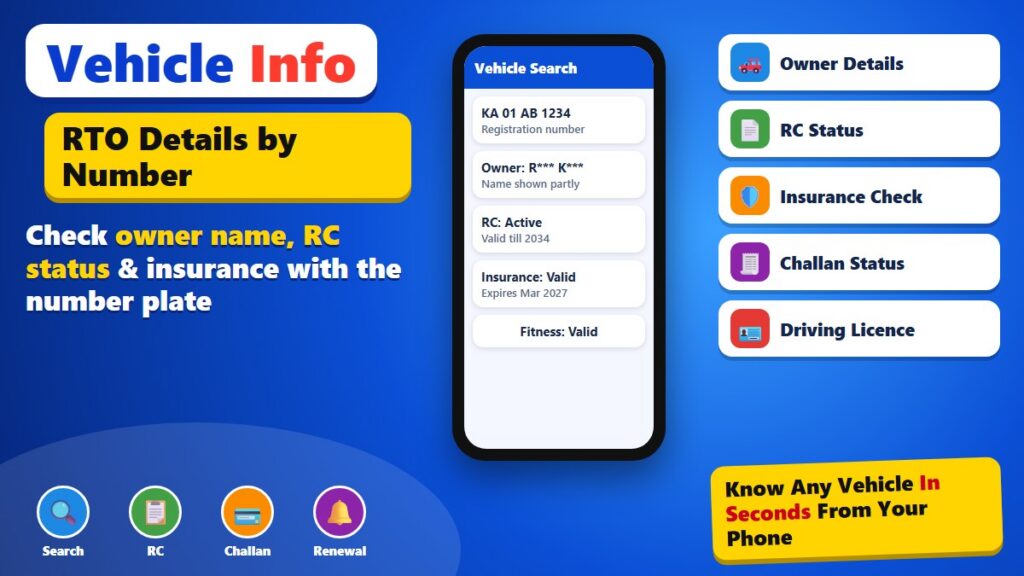
Do you want to check your vehicle details?
क्या आप अपने वाहन की जानकारी देखना चाहते हैं?
আপনি কি আপনার গাড়ির তথ্য দেখতে চান?
আপুনি এই বিষয়ে আৰু জানিব বিচাৰেনে?
શું તમે આ વિશે વધુ જાણવા માંગો છો?
तुम्हाला याबद्दल अधिक जाणून घ्यायचे आहे का?
ਕੀ ਤੁਸੀਂ ਇਸ ਬਾਰੇ ਹੋਰ ਜਾਣਨਾ ਚਾਹੁੰਦੇ ਹੋ?
ଆପଣ ଏହା ବିଷୟରେ ଅଧିକ ଜାଣିବାକୁ ଚାହାଁନ୍ତି କି?
உங்கள் வாகன விவரங்களைப் பார்க்க விரும்புகிறீர்களா?
మీ వాహన వివరాలు చెక్ చేయాలనుకుంటున్నారా?
ನಿಮ್ಮ ವಾಹನದ ವಿವರ ಪರಿಶೀಲಿಸಲು ಬಯಸುವಿರಾ?
നിങ്ങളുടെ വാഹന വിവരങ്ങൾ പരിശോധിക്കണോ?
Want to know whose vehicle it is, whether its RC is valid or if there is a pending challan on it? With the registration number you can check most vehicle details on your mobile in a minute. This guide shows the official ways to do it and what each check tells you.
This page is a general guide. mfeto.com is not a government website and is not linked to any department. Always use the official portal or app named below.
What vehicle information you can see by number
Every registered vehicle in India is recorded in VAHAN, the national vehicle register run for the Ministry of Road Transport and Highways. When you search a registration number on the official service, you see a short summary of that record. It is meant to help buyers, owners and anyone involved in an accident or a second-hand deal to confirm basic facts about a vehicle.
| Detail | Shown? | Note |
|---|---|---|
| Owner name | Partly | Shown with letters hidden to protect privacy |
| Registration date and RTO | Yes | Which office registered the vehicle |
| Maker, model, fuel, vehicle class | Yes | Useful to match a vehicle with its papers |
| RC status | Yes | Active, suspended or cancelled |
| Insurance valid till | Yes | Based on data shared by insurers |
| Fitness and PUC validity | Yes | For transport and older vehicles |
| Full address and phone | No | Never public |
Method 1: The mParivahan app
mParivahan is the official app of the transport ministry, built by NIC. It is free on Android and iPhone.
- Install mParivahan from the Play Store or App Store (publisher: National Informatics Centre).
- Open the app and choose RC Information or the search bar for vehicle number.
- Type the registration number without spaces, for example KA01AB1234.
- The app shows the RC summary: owner name (masked), model, registration date, insurance and fitness validity.
- Log in with your mobile number if you want to keep your own RC and driving licence in the app.
Method 2: The Parivahan website
On a computer or a mobile browser, open parivahan.gov.in, go to Online Services and then Vehicle Related Services. Pick your state and RTO, and use the “Know Your Vehicle Details” option. You may need to sign in with a mobile number and OTP before the result is shown.
How to check pending challans
Traffic fines are recorded in the e-Challan system. Open echallan.parivahan.gov.in, choose Check Online Services and then Get Challan Details. You can search by challan number, vehicle number or driving licence number. Pending challans can be paid online by card, UPI or net banking. Some cities and states, such as Bengaluru and Telangana, also show fines on their traffic police websites.
How to check insurance and RC validity
The insurance “valid till” date in mParivahan comes from insurers. If you need more detail, the Insurance Information Bureau of India runs a public search where you can enter the registration number to see the policy status. Your RC is shown as active unless it has been suspended, cancelled or the vehicle has been transferred to a new owner.
Keep your RC and DL on your phone
Digital copies of the RC and driving licence in DigiLocker or mParivahan are accepted as valid documents under the Motor Vehicles rules. Link your Aadhaar-verified mobile number, fetch the documents once, and you can show them to traffic police during a check.
Vehicle Information – Quick Overview
| Need | Where to check | Cost |
|---|---|---|
| RC and owner summary | mParivahan / Parivahan | Free |
| Pending challan | echallan.parivahan.gov.in | Free to check |
| Insurance status | mParivahan / IIB | Free |
| Digital RC and DL | DigiLocker / mParivahan | Free |
Stay safe from fake apps and links
- Use only the official mParivahan app, Parivahan and e-Challan websites ending in .gov.in.
- Do not pay anyone who promises to “clear” a challan for a fee; challans are paid only on the official site.
- Ignore SMS or WhatsApp messages with challan links from unknown numbers; check the challan yourself on the official site.
- Do not share OTPs with anyone.
Who uses vehicle number checks
- Second-hand buyers – to confirm the vehicle, its age and that the RC is active before paying.
- Owners – to see when insurance, PUC or fitness expires and renew on time.
- People after an accident – to note the other vehicle’s insurer for a claim.
- Parking and housing societies – to match a vehicle with its registered model.
Reading the registration number
An Indian registration number has four parts. The first two letters are the state code (KA for Karnataka, TS for Telangana, AP for Andhra Pradesh). The next two digits are the RTO code. Then come one to three letters for the series and four digits for the vehicle. New BH series numbers start with the year of registration followed by BH, and are used by people who move between states for work.
| Part | Example | Meaning |
|---|---|---|
| State | KA | Karnataka |
| RTO | 01 | Bengaluru Central |
| Series | AB | Issued in order |
| Number | 1234 | Unique in that series |
What to do if details look wrong
If the model, owner or registration date does not match your papers, visit or write to the RTO that registered the vehicle with your RC and ID. Wrong insurance data is corrected by the insurer, so contact them with your policy number. Keep screenshots of what you saw online.
Renewals you can do online
Many RTO services are now online on Parivahan: renewing a driving licence, getting a duplicate RC, changing the address on the RC, and paying road tax in many states. Each service lists the documents and fee before you pay, and the receipt is emailed to you.
Checking a vehicle before buying it second-hand
Before paying for a used bike or car, check the registration number on mParivahan while standing next to the vehicle. Match the model, colour, fuel type and registration date with what you see. Ask the seller for the original RC, the insurance policy and the last PUC certificate, and compare the chassis and engine numbers printed on the RC with those on the vehicle. Then check pending challans on the e-Challan site; fines stay with the vehicle, so ask the seller to clear them before the sale.
After an accident
If another vehicle hits yours, note its registration number and take photos. Searching the number on mParivahan shows whether it has valid insurance and the insurer’s name, which you need for a claim. Do not argue on the spot; inform the police if there are injuries or serious damage, and contact your own insurer quickly.
Vehicle details for drivers and fleet owners
Taxi drivers, delivery workers and small fleet owners have to keep many documents valid at the same time: insurance, permit, fitness, PUC and road tax. Keep a simple list of each vehicle’s expiry dates and check them on mParivahan every month. Renewing on time avoids heavy fines and keeps vehicles on the road.
Frequently confused terms
| Term | Meaning |
|---|---|
| RC | Registration Certificate of the vehicle |
| PUC | Pollution Under Control certificate |
| Hypothecation | Loan noted on the RC |
| NOC | No-objection certificate for moving a vehicle to another state |
| Fitness | Certificate that a vehicle is roadworthy (transport and old vehicles) |
Checking these details takes only a few minutes and can save you from buying a vehicle with problems or paying large fines later.
Key Points to Remember
Here is a short summary of the most important points from this guide:
- Owner names are shown partly hidden for privacy.
- All checks are free on official services.
- Keep RC and DL in DigiLocker.
Frequently Asked Questions (FAQs)
Can I see the full name and address of a vehicle owner?
No. The official services show the owner name with some letters hidden and never show the address or phone number.
Is checking vehicle details free?
Yes. Searching on mParivahan, Parivahan and the e-Challan site is free. You pay only when you pay a challan or apply for a service.
Why does my vehicle show no insurance?
The data can take a few days to update after renewal. Keep your policy copy and check again later.
Is a digital RC valid?
Yes, the RC in DigiLocker or mParivahan is accepted as a valid document.
Conclusion
With just the registration number you can check a vehicle’s RC, insurance and challans on your phone for free. Stick to the official app and websites, keep your own documents in DigiLocker and pay fines only on the e-Challan site.
Disclaimer: mfeto.com is an independent information website and is not connected with MoRTH, NIC or any RTO. Details shown on official services may change.
For a step-by-step guide to challans, RC status, insurance and transfers, read our complete vehicle check guide.