Telangana RTO Vehicle Information App – RC, Registration & పూర్తి వాహన వివరాలను ఆన్లైన్లో చెక్ చేయండి
Telangana RTO Vehicle Information App మరియు ఆన్లైన్ వాహన సేవల ద్వారా తెలంగాణలో రిజిస్టర్ అయిన Car, Bike మరియు ఇతర వాహనాలకు సంబంధించిన ముఖ్యమైన సమాచారాన్ని మొబైల్ లేదా కంప్యూటర్ ద్వారా సులభంగా చెక్ చేయవచ్చు.
మీ దగ్గర తెలంగాణ Vehicle Registration Number ఉంటే, అందుబాటులో ఉన్న అధికారిక రవాణా సేవల ద్వారా RC Details, Registration Status, Vehicle Class, Fuel Type, Registration Date, Validity మరియు అనుమతించబడిన ఇతర Vehicle Information తెలుసుకోవచ్చు.
తెలంగాణలో వాహనాల Registration Number సాధారణంగా TG State Codeతో ప్రారంభమవుతుంది. తెలంగాణ ప్రభుత్వం 2024లో వాహన రిజిస్ట్రేషన్ గుర్తును TS నుంచి TGగా మార్చింది. పాత వాహన రికార్డుల్లో TS కోడ్ కూడా కనిపించవచ్చు.
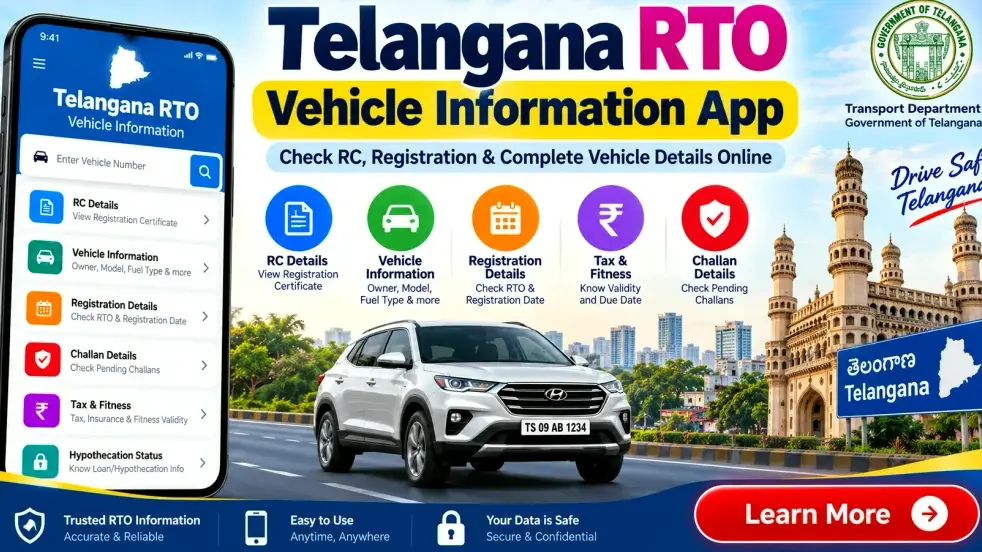
ప్రస్తుతం అనేక vehicle-related services డిజిటల్గా అందుబాటులో ఉన్నాయి. Parivahan, VAHAN మరియు Telangana Transport Department వంటి అధికారిక సేవలను ఉపయోగించి వాహనానికి సంబంధించిన వివిధ వివరాలు మరియు సేవలను పొందవచ్చు.
ఈ గైడ్లో Telangana RTO Vehicle Information ఎలా చెక్ చేయాలి, RC అంటే ఏమిటి, Registration Number ద్వారా ఏ వివరాలు తెలుసుకోవచ్చు, Used Vehicle కొనుగోలు చేసే ముందు ఏమి చెక్ చేయాలి వంటి విషయాలను వివరంగా తెలుసుకుందాం.
Telangana RTO Vehicle Information – ముఖ్యమైన వివరాలు
| వివరాలు | సమాచారం |
|---|---|
| రాష్ట్రం | తెలంగాణ |
| ప్రస్తుత Vehicle State Code | TG |
| పాత రికార్డుల్లో కనిపించగల Code | TS |
| సంబంధిత శాఖ | Telangana Transport Department |
| ముఖ్యమైన Vehicle Document | Registration Certificate (RC) |
| Vehicle Services | Online & RTO |
| ప్రధాన Search Detail | Vehicle Registration Number |
| Online Information | RC, Registration & Vehicle Details |
| ఉపయోగించగల Device | Mobile, Tablet, Laptop, Desktop |
| Vehicle Types | Car, Bike & Other Registered Vehicles |
| Personal Details | Privacy Rules ప్రకారం పరిమితం కావచ్చు |
| Recommended Source | Official Government Transport Services |
RTO అంటే ఏమిటి?
RTO అంటే Regional Transport Office. వాహనాల Registration మరియు వివిధ transport-related servicesలో RTO ముఖ్యమైన పాత్ర పోషిస్తుంది.
వాహన రిజిస్ట్రేషన్తో పాటు Driving Licence services, Permit, Fitness, Tax మరియు ఇతర Motor Vehicle సంబంధిత సేవలు కూడా సంబంధిత రవాణా అధికారుల పరిధిలో ఉండవచ్చు.
తెలంగాణలో వాహనం రిజిస్టర్ అయిన తర్వాత దానికి ప్రత్యేక Vehicle Registration Number కేటాయించబడుతుంది.
Telangana Vehicle Registration Code – TG మరియు TS
తెలంగాణకు సంబంధించిన Vehicle Registration Code విషయంలో ఒక ముఖ్యమైన విషయం తెలుసుకోవాలి.
తెలంగాణ ఏర్పడిన తర్వాత చాలా సంవత్సరాలు TS గుర్తును వాహన రిజిస్ట్రేషన్ కోసం ఉపయోగించారు. 2024లో తెలంగాణ ప్రభుత్వం కొత్త vehicle registration markగా TGని అమలు చేసింది.
అందువల్ల కొత్త Registration Numbersలో TG కనిపించవచ్చు. ఇప్పటికే రిజిస్టర్ అయిన పాత వాహనాలకు సంబంధించిన recordsలో TS కూడా కనిపించవచ్చు.
Vehicle Details చెక్ చేసేటప్పుడు మీ RC లేదా Registration Plateలో ఉన్న registration numberనే సరిగ్గా నమోదు చేయండి.
Vehicle Registration Number అంటే ఏమిటి?
Vehicle Registration Number ప్రతి registered vehicleకు కేటాయించబడే ప్రత్యేక గుర్తింపు సంఖ్య.
ఉదాహరణకు ఒక registration number ఈ విధంగా ఉండవచ్చు:
TG-XX-AB-1234
ఇందులో:
TG = Telangana
XX = సంబంధిత Registering Authority Code
AB = Registration Series
1234 = Unique Vehicle Number
మీ వాహనానికి సంబంధించిన actual registration numberను ఎప్పుడూ RCలో ఉన్న విధంగానే ఉపయోగించాలి.
RC అంటే ఏమిటి?
RC అంటే Registration Certificate.
ఒక వాహనం సంబంధిత Registering Authority వద్ద అధికారికంగా నమోదు చేయబడిందని నిర్ధారించే ముఖ్యమైన document ఇది.
RCకు సంబంధించిన recordsలో, service మరియు availability ఆధారంగా, ఈ క్రింది సమాచారం ఉండవచ్చు:
- Vehicle Registration Number
- Registration Date
- Registration Status
- Vehicle Class
- Fuel Type
- Maker/Model Information
- RC Validity
- అనుమతించబడిన ఇతర Vehicle Details
Onlineలో కనిపించే సమాచారం privacy rules, database availability మరియు ఉపయోగిస్తున్న service ఆధారంగా మారవచ్చు.
Telangana RTO Vehicle Information ద్వారా ఏ వివరాలు చెక్ చేయవచ్చు?
Supported vehicle information services ద్వారా registration number ఉపయోగించి వివిధ రకాల వివరాలను తెలుసుకోవచ్చు.
1. Registration Number
మీరు నమోదు చేసిన Vehicle Registration Numberకు సంబంధించిన available vehicle recordను system గుర్తించవచ్చు.
2. Registration Date
వాహనం మొదట ఎప్పుడు register అయిందనే వివరాలు అందుబాటులో ఉండవచ్చు.
3. Registration Status
వాహనం registrationకు సంబంధించిన ప్రస్తుతం అందుబాటులో ఉన్న statusను చెక్ చేయవచ్చు.
4. Vehicle Class
వాహనం ఏ Class లేదా Categoryలో register అయిందో తెలుసుకోవచ్చు.
5. Fuel Type
Available record ఆధారంగా వాహనం Petrol, Diesel, CNG, Electric లేదా ఇతర fuel categoryకు చెందినదా అనే సమాచారం కనిపించవచ్చు.
6. Maker & Model
Vehicle manufacturer మరియు modelకు సంబంధించిన available information కూడా కనిపించవచ్చు.
7. RC Validity
Registration Certificateకు సంబంధించిన applicable validity information అందుబాటులో ఉండవచ్చు.
8. Insurance Information
కొన్ని integrated vehicle servicesలో available insurance-related information కనిపించవచ్చు. ముఖ్యమైన verification కోసం సంబంధిత insurer లేదా official source ద్వారా వివరాలను నిర్ధారించుకోవడం మంచిది.
9. PUC Information
Digital databaseలో record అందుబాటులో ఉంటే **Pollution Under Control (PUC)**కు సంబంధించిన సమాచారం కనిపించవచ్చు.
10. Fitness Details
Fitness certification అవసరమైన vehicle categoriesకు సంబంధించిన available fitness information చెక్ చేయవచ్చు.
11. Vehicle Tax Information
Vehicle type మరియు service ఆధారంగా applicable motor vehicle taxకు సంబంధించిన information లేదా online services అందుబాటులో ఉండవచ్చు.
12. Permit Details
Transport లేదా Commercial Vehicleలకు వర్తించే Permit-related information కూడా సంబంధిత servicesలో అందుబాటులో ఉండవచ్చు.
Telangana Vehicle Details Online ఎలా చెక్ చేయాలి?
Telangana Vehicle Information చెక్ చేయడానికి trusted official transport service ఉపయోగించడం మంచిది.
Step 1: Official Transport Service ఓపెన్ చేయండి
మొదట సంబంధిత official Telangana Transport లేదా Government Vehicle Serviceను ఓపెన్ చేయండి.
Personal information నమోదు చేసే ముందు మీరు సరైన official platformనే ఉపయోగిస్తున్నారో నిర్ధారించుకోండి.
Step 2: Vehicle Related Service ఎంచుకోండి
Vehicle Registration, RC లేదా Vehicle Related Services sectionకు వెళ్లండి.
Website లేదా online service update అయినప్పుడు menu names మరియు process మారవచ్చు. అందువల్ల screenపై కనిపించే latest instructionsను follow చేయండి.
Step 3: Registration Number నమోదు చేయండి
మీ పూర్తి Telangana Vehicle Registration Numberను సరిగ్గా నమోదు చేయండి.
మీ vehicle RCలో TG లేదా TS ఏ code ఉందో అదే registration numberను ఉపయోగించండి.
Step 4: Verification పూర్తి చేయండి
Serviceను బట్టి CAPTCHA, Login, OTP లేదా ఇతర verification అవసరం కావచ్చు.
Official platform ఇచ్చే instructionsను follow చేయండి.
Step 5: Vehicle Information చూడండి
Verification పూర్తయిన తర్వాత databaseలో అందుబాటులో ఉన్న మరియు చూపించడానికి అనుమతించబడిన vehicle informationను చూడవచ్చు.
Telangana RC Details Online ఎలా చెక్ చేయాలి?
Vehicle Registration Number ఉపయోగించి supported online serviceలో available RC-related information చెక్ చేయవచ్చు.
Registration numberను సరిగ్గా నమోదు చేసి, అవసరమైన verification పూర్తి చేయండి.
తర్వాత serviceలో అందుబాటులో ఉన్న RC మరియు registration-related informationను చూడండి.
మీ స్వంత vehicle RCలో ఏదైనా incorrect information కనిపిస్తే, సంబంధిత transport authority/RTO ద్వారా correction procedure గురించి తెలుసుకోవాలి.
Telangana RTO Vehicle Information App – Mobileలో ఎలా ఉపయోగించాలి?
Smartphone ద్వారా vehicle information access చేయడం చాలా సౌకర్యంగా ఉంటుంది.
Supported government vehicle services mobile browser లేదా relevant official digital service ద్వారా access చేయవచ్చు.
దీని వల్ల basic vehicle details కోసం ప్రతి సారి RTO officeకు వెళ్లాల్సిన అవసరం తగ్గవచ్చు.
అయితే internetలో RTO Vehicle Information App, RC Check App, Vehicle Owner Details App వంటి పేర్లతో అనేక third-party apps ఉన్నాయి.
అవి అన్నీ Government Apps కావు.
ఏదైనా app install చేసే ముందు:
- Developer Name చెక్ చేయండి
- Privacy Policy చదవండి
- App Permissions చూడండి
- User Reviews పరిశీలించండి
- Unknown APK Files install చేయవద్దు
- అవసరం లేని permissions ఇవ్వవద్దు
Basic Vehicle Information కోసం app మీ Contacts, Messages లేదా financial informationకు unnecessary access అడిగితే జాగ్రత్తగా ఉండండి.
Official మరియు Third-Party Vehicle Apps మధ్య తేడా
Official servicesను Government Transport Departments లేదా authorized government platforms నిర్వహిస్తాయి.
Third-party apps private developers లేదా companies ద్వారా నిర్వహించబడవచ్చు.
Third-party serviceలో కనిపించే information, data handling మరియు privacy practices official government platformతో సమానంగా ఉండాల్సిన అవసరం లేదు.
Official RC transaction, legal verification లేదా ముఖ్యమైన vehicle service కోసం Government Platformకు ప్రాధాన్యం ఇవ్వడం మంచిది.
Vehicle Owner Details Online చూడవచ్చా?
Vehicle Registration Number ద్వారా కొన్ని permitted vehicle details కనిపించవచ్చు.
అయితే ఇతర వ్యక్తుల పూర్తి private information unrestrictedగా అందుబాటులో ఉంటుందని భావించకూడదు.
Privacy మరియు security కారణాల వల్ల:
- Full Residential Address
- Mobile Number
- ఇతర Sensitive Personal Information
వంటివి masked, restricted లేదా unavailableగా ఉండవచ్చు.
Vehicle Information Servicesను legitimate purposes కోసం మాత్రమే ఉపయోగించాలి.
Used Car లేదా Bike కొనడానికి ముందు ఏం చెక్ చేయాలి?
Telanganaలో Second-Hand Car లేదా Bike కొనాలని అనుకుంటే online vehicle information basic verificationకు ఉపయోగపడుతుంది.
మొదట Vehicle Registration Number ద్వారా available informationను చెక్ చేసి Original RCతో compare చేయండి.
అదనంగా:
- Original RC చెక్ చేయండి
- Registration Number verify చేయండి
- Insurance Status చెక్ చేయండి
- Applicable PUC Details పరిశీలించండి
- Vehicle identifiers verify చేయండి
- అవసరమైతే Loan/Hypothecation Status చెక్ చేయండి
- Ownership Transfer Documents పరిశీలించండి
- Vehicle Physical Condition చెక్ చేయండి
అవసరమైతే qualified mechanicతో vehicle inspection చేయించడం మంచిది.
Online RTO Check ఒక్కటే Used Vehicle కొనుగోలుకు పూర్తి verification కాదు.
Vehicle Ownership Transfer
Used Vehicle కొనుగోలు చేసిన తర్వాత vehicle తీసుకోవడం మాత్రమే సరిపోదు. Applicable legal procedure ప్రకారం Ownership Transfer పూర్తి చేయడం చాలా ముఖ్యం.
Seller మరియు Buyer ఇద్దరూ సంబంధిత government transport authority సూచనలను అనుసరించాలి.
Serviceను బట్టి online application, documents, verification మరియు RTO visit అవసరం కావచ్చు.
Telangana Vehicleకు సంబంధించిన ముఖ్యమైన Documents
Vehicle owner సాధారణంగా తన vehicle category మరియు applicable rules ఆధారంగా కొన్ని ముఖ్యమైన documentsను నిర్వహించాలి.
వాటిలో:
- Registration Certificate (RC)
- Driving Licence
- Motor Insurance
- PUC Certificate – వర్తిస్తే
- Fitness Certificate – వర్తిస్తే
- Permit Documents – applicable vehiclesకు
- Tax-related records – అవసరమైన సందర్భాల్లో
ఉండవచ్చు.
Vehicle Type, Age మరియు Usage ఆధారంగా requirements మారవచ్చు.
Telangana RTO Online Services వల్ల ప్రయోజనాలు
Digital vehicle services వల్ల usersకు అనేక practical benefits ఉన్నాయి.
Mobile Access: Smartphone ద్వారా supported vehicle servicesను access చేయవచ్చు.
Time Saving: Basic enquiry కోసం ప్రతి సారి RTO officeకు వెళ్లాల్సిన అవసరం తగ్గవచ్చు.
Vehicle Verification: Registration Number ద్వారా available vehicle informationను చెక్ చేయవచ్చు.
Easy Access: ఇంటి నుంచే కొన్ని transport servicesను access లేదా initiate చేయవచ్చు.
Document Information: RC మరియు ఇతర supported vehicle recordsకు సంబంధించిన informationను చెక్ చేయడం సులభమవుతుంది.
అయితే అన్ని RTO procedures పూర్తిగా onlineలోనే పూర్తవుతాయని భావించకండి.
కొన్ని servicesకు:
- Physical Document Verification
- Vehicle Inspection
- Biometric Verification
- RTO Visit
అవసరం కావచ్చు.
Vehicle Information చెక్ చేసేటప్పుడు Safety Tips
Online RTO Service ఉపయోగిస్తున్నప్పుడు security చాలా ముఖ్యం.
Official లేదా trusted platformనే ఉపయోగించండి.
Unknown websitesలో unnecessary personal details నమోదు చేయవద్దు.
ఎవరితోనూ ఈ వివరాలను share చేయవద్దు:
- OTP
- UPI PIN
- Debit/Credit Card PIN
- Net Banking Password
- Login Credentials
- Sensitive Financial Information
“Full Owner Address” లేదా confidential personal details చూపిస్తామని చెప్పే suspicious websites పట్ల జాగ్రత్తగా ఉండండి.
Free Vehicle Details పేరుతో unknown APK files download చేయవద్దు.
Payment అవసరమయ్యే official transactionలో fee మరియు payment page సరైనదో ముందుగా verify చేయండి.
Frequently Asked Questions (FAQ)
1. Telangana Vehicle Registration Code ఏది?
తెలంగాణలో కొత్త vehicle registrations కోసం TG గుర్తు ఉపయోగించబడుతోంది. పాత తెలంగాణ vehicle recordsలో TS code కూడా కనిపించవచ్చు.
2. Telangana RC Details Online చెక్ చేయవచ్చా?
Supported official transport services ద్వారా అందుబాటులో ఉన్న RC మరియు registration-related informationను onlineలో చెక్ చేయవచ్చు.
3. Vehicle Details చెక్ చేయడానికి ఏమి కావాలి?
సాధారణంగా Vehicle Registration Number అవసరం. Serviceను బట్టి Login, CAPTCHA, OTP లేదా ఇతర verification అవసరం కావచ్చు.
4. Mobile ద్వారా Telangana Vehicle Details చెక్ చేయవచ్చా?
అవును. Supported online transport servicesను smartphone ద్వారా access చేయవచ్చు.
5. TS Number ఉన్న పాత వాహనం Details చెక్ చేయవచ్చా?
మీ official RCలో ఉన్న registration numberను అలాగే ఉపయోగించాలి. పాత Telangana vehiclesలో TS code ఉండవచ్చు.
6. Vehicle Owner Full Address చూడవచ్చా?
Sensitive personal information privacy rules కారణంగా masked, restricted లేదా unavailableగా ఉండవచ్చు.
7. Insurance Details చెక్ చేయవచ్చా?
కొన్ని integrated servicesలో available insurance information కనిపించవచ్చు. ముఖ్యమైన verification కోసం insurer లేదా official source ద్వారా confirm చేయండి.
8. PUC Information Onlineలో దొరుకుతుందా?
Relevant digital record availableగా ఉంటే supported service ద్వారా PUC-related information కనిపించవచ్చు.
9. Used Vehicle కొనడానికి Online RTO Check సరిపోతుందా?
లేదు. Original RC, Insurance, applicable PUC, Vehicle Identifiers, Finance/Hypothecation Status, Ownership Transfer Documents మరియు Physical Condition కూడా verify చేయాలి.
10. అన్ని RTO Vehicle Information Apps Government Appsనా?
లేదు. అనేక third-party apps కూడా ఉన్నాయి. Install చేసే ముందు developer, permissions మరియు privacy policyను verify చేయండి.
11. RC Information తప్పుగా ఉంటే ఏం చేయాలి?
మీ స్వంత vehicle recordలో incorrect information ఉంటే సంబంధిత RTO లేదా official transport service ద్వారా correction process గురించి తెలుసుకోండి.
12. Ownership Transfer Onlineలో చేయవచ్చా?
Available digital services ద్వారా కొన్ని ownership-transfer procedures onlineలో ప్రారంభించగలిగే అవకాశం ఉంటుంది. Exact process మరియు RTO visit requirements కోసం current official instructionsను follow చేయాలి.
13. Telangana Vehicle Details చెక్ చేయడానికి safest method ఏది?
Official Government Transport Services ఉపయోగించడం ఉత్తమం.
ముగింపు
Telangana RTO Vehicle Information App – Check RC, Registration & Complete Vehicle Details Online ద్వారా తెలంగాణలో రిజిస్టర్ అయిన vehiclesకు సంబంధించిన available registration informationను సులభంగా access చేయవచ్చు.
Valid Vehicle Registration Number ఉపయోగించి supported services ద్వారా RC Details, Registration Status, Vehicle Class, Fuel Type, Registration Date, Validity మరియు ఇతర అనుమతించబడిన Vehicle Informationను mobile లేదా computer ద్వారా చెక్ చేయవచ్చు.
మీ స్వంత vehicle record verify చేయడానికి లేదా Second-Hand Car/Bike కొనుగోలు చేసే ముందు basic registration verification చేయడానికి online vehicle services ఉపయోగపడతాయి.
అయితే online RTO information మాత్రమే పూర్తి vehicle verificationకు ప్రత్యామ్నాయం కాదు. Used Vehicle కొనుగోలు సమయంలో Original Documents, Insurance, applicable PUC, Finance/Hypothecation, Ownership Transfer మరియు Vehicle Physical Conditionను కూడా సరిగా verify చేయాలి.
సురక్షితమైన మరియు నమ్మదగిన సమాచారం కోసం Telangana Transport Department మరియు సంబంధిత Official Government Transport Servicesకు ప్రాధాన్యం ఇవ్వండి. Confidential owner information ఇస్తామని చెప్పే suspicious websites లేదా unknown appsను avoid చేయండి.
Official digital transport servicesను సరిగ్గా ఉపయోగించడం ద్వారా Telangana vehicle owners తమ RC, Registration మరియు ఇతర ముఖ్యమైన Vehicle Detailsను మరింత సులభంగా మరియు సురక్షితంగా చెక్ చేసుకోవచ్చు.