RTO Vehicle Search App – Check Car and Bike Details in Minutes
Have you ever wondered how to check a car or bike’s registration details using just its number plate? With an RTO Vehicle Search App, finding available vehicle information has become much easier. Whether you own a motorcycle, drive a car, or are planning to purchase a second-hand vehicle, your smartphone can help you access important registration records within minutes.
In India, vehicle owners frequently need information about registration certificates, insurance validity, pollution certificates, and other transport documents. Visiting an RTO office for basic information can be inconvenient, especially when you need to verify details quickly. Fortunately, digital transport services now allow users to search for permitted vehicle information directly from their mobile phones.
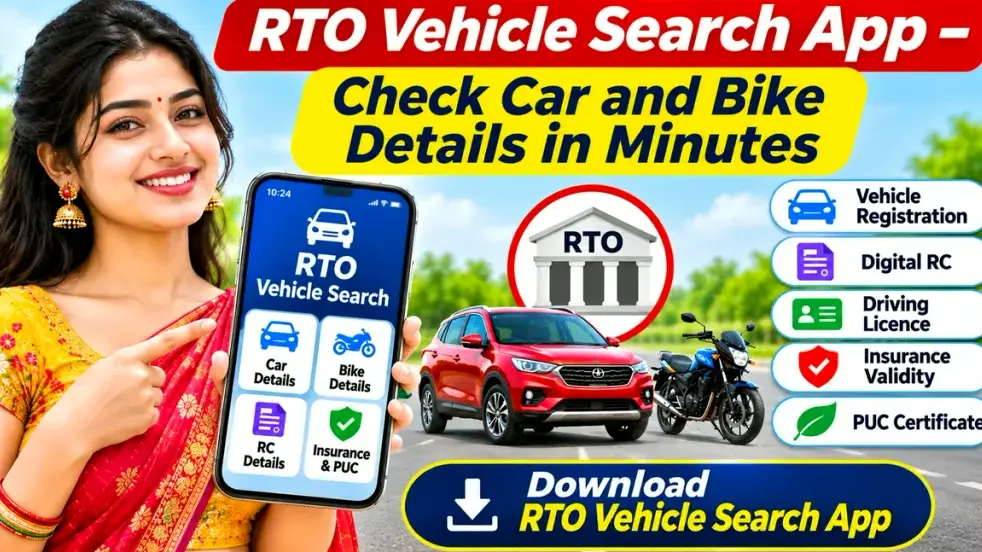
The official NextGen mParivahan application provides vehicle information services across India. In this guide, you will learn how an RTO vehicle search app works, how to check car and bike registration details, its important features, and what you should know before using it.
What Is an RTO Vehicle Search App?
An RTO Vehicle Search App is a mobile application that allows users to search for available vehicle registration information by entering a registration number.
RTO stands for Regional Transport Office, which is responsible for vehicle registration, driving licence administration, and various transport-related services.
The Government of India maintains digital transport records through systems such as VAHAN and SARATHI.
NextGen mParivahan, developed by the National Informatics Centre, provides mobile access to selected transport information and digital document services.
Users can search for permitted vehicle details, review available insurance information, and access supported digital registration certificates.
However, the exact information displayed depends on government data availability, authentication requirements, and privacy restrictions.
Key Features of an RTO Vehicle Search App
An RTO mobile application provides several useful features for bike owners, car owners, and second-hand vehicle buyers.
1. Vehicle Number Search
Users can enter a valid vehicle registration number to find permitted registration information.
The application may display the registration date, registering authority, vehicle class, fuel type, and registration status.
2. Bike Registration Check
Motorcycle and scooter owners can use supported search services to review two-wheeler registration information.
This may be useful when checking documents or evaluating a second-hand motorcycle.
3. Car Registration Details
Car owners can search for available registration information associated with their vehicles.
The results may include the registration date, vehicle category, fuel type, and registering transport authority.
4. Insurance Validity Information
Supported RTO applications may display the insurance validity date recorded in government-connected databases.
This can help vehicle owners identify when their recorded insurance information needs attention.
However, actual policy coverage should be confirmed with the insurance company.
5. Pollution Certificate Details
A Pollution Under Control certificate is an important vehicle document.
Some RTO mobile services display recorded PUC validity information, helping vehicle owners monitor certificate expiry dates.
6. Digital Registration Certificate
Eligible users can access virtual RC records through official applications such as NextGen mParivahan.
These records provide a convenient way to access supported electronic registration documents.
RTO Vehicle Search App – Features at a Glance
| Feature | Information Available |
|---|---|
| Vehicle Number Search | Permitted vehicle registration details |
| Bike Details Check | Motorcycle and scooter registration information |
| Car Details Check | Four-wheeler registration information |
| Registration Date | Date of vehicle registration |
| RTO Information | Registering transport authority |
| Fuel Type | Petrol, diesel, electric or other recorded category |
| Insurance Status | Recorded insurance validity |
| PUC Certificate | Available pollution certificate validity |
| Vehicle Status | Registration status, where available |
| Digital RC | Virtual registration certificate for eligible users |
Important: Available features can vary depending on the application version, vehicle record, state, and user authentication.
How to Download an RTO Vehicle Search App
You can install an official vehicle information application on a compatible smartphone.
Follow these steps:
Step 1: Open the Google Play Store or Apple App Store.
Step 2: Search for “NextGen mParivahan”.
Step 3: Check the application name and verify the publisher, National Informatics Centre.
Step 4: Select the Install or Download option.
Step 5: Open the application after installation.
Step 6: Choose your preferred language if available.
Step 7: Complete mobile number verification or sign-in when required.
Step 8: Explore the available RC Search, vehicle information, and other transport services.
Always install genuine applications from trusted marketplaces rather than unknown websites.
How to Check Car and Bike Details Using an RTO App
Checking available vehicle details through a mobile application is generally straightforward.
Step 1: Open the Application
Launch the official RTO vehicle information app on your smartphone.
Make sure your internet connection is working.
Step 2: Complete Login
Sign in or complete mobile number authentication if requested.
Step 3: Select Vehicle Search
Find the RC Search or Vehicle Information section.
Step 4: Enter the Registration Number
Type the vehicle registration number correctly.
For example, a vehicle registered in West Bengal may have a number beginning with WB, while one registered in Maharashtra may begin with MH.
Step 5: Complete Verification
Enter the required verification details or complete the authentication process.
Step 6: Submit the Search
Tap the Search button to retrieve the available vehicle record.
Step 7: Check the Results
The application may display the registering authority, registration date, vehicle class, insurance validity, and other permitted information.
For important transactions, always compare these details with original documents and appropriate official records.
How to Search Bike Registration Details
If you own a motorcycle or scooter, a vehicle search app can help you review available two-wheeler information.
Open the application and enter the registration number displayed on your bike’s number plate.
After completing the search, review the available registration details.
The results may help you identify the registering RTO, registration date, vehicle class, and recorded insurance or pollution certificate validity.
This feature is particularly useful for bike owners who want to review their registration information or check a used motorcycle before purchasing it.
How to Check Car Registration Details
Car registration verification follows a similar process.
First, enter the complete registration number in the supported vehicle search section.
After submitting the search, review the information displayed by the application.
Depending on the available records, the results may show the registration date, registering authority, fuel type, vehicle class, and insurance validity.
If you are considering buying a second-hand car, compare the registration information with the seller’s original RC.
You should also inspect the vehicle physically, verify ownership-transfer requirements, and check for outstanding finance obligations.
Can You Find Vehicle Owner Details Using a Number Plate?
Many people search for an RTO Vehicle Search App because they want to find owner information associated with a registration number.
However, public access to personal vehicle-owner information is restricted under government data-sharing rules.
Available records may include selected non-sensitive vehicle details, while owner-related information may be masked.
Complete residential addresses, private mobile numbers, and other confidential personal information are not generally accessible through public vehicle searches.
Authenticated owners may access more complete information about their own registered vehicles through supported government applications.
Therefore, vehicle search tools should be used for legitimate registration verification and not for attempting to obtain another person’s private information.
Benefits of Using an RTO Vehicle Search App
Quick Access to Vehicle Information
Users can search for available registration details without unnecessarily visiting a Regional Transport Office.
Helpful for Second-Hand Vehicle Buyers
A registration search can help buyers identify discrepancies between a seller’s documents and available government records.
Convenient for Bike and Car Owners
Vehicle owners can review important information using their smartphones.
Insurance and PUC Awareness
Recorded validity dates can help users identify documents that may require renewal.
Access to Digital Documents
Official applications allow eligible users to access virtual registration certificates and driving licences.
Nationwide Vehicle Search
Government-supported services cover vehicle information from different Indian states and Union Territories, subject to record availability.
Is the RTO Vehicle Search App Free?
The official NextGen mParivahan application is free to download.
Users can explore supported vehicle information services according to the applicable authentication and access requirements.
However, certain government transactions, document applications, or other transport services may involve fees.
Always verify applicable charges before making payments.
Is an RTO Vehicle Search App Safe to Use?
Government-supported applications are generally preferable to unknown third-party vehicle information apps.
Before installation, check the publisher and review the permissions requested by the application.
Never share passwords, mobile verification OTPs, or sensitive personal information with unknown individuals.
Avoid apps claiming to reveal confidential vehicle-owner addresses or unrestricted personal information.
Keep the application updated and use trusted services whenever checking important vehicle records.
Common RTO Vehicle Search Problems and Solutions
Sometimes an application may not display the expected registration information.
Vehicle Details Not Found: Verify the registration number and try again. Some records may be incomplete or unavailable.
App Not Opening: Update the application and restart your smartphone.
OTP Not Received: Check your mobile network and confirm that the entered phone number is correct.
Insurance Details Not Updated: Verify the policy status directly with your insurance provider.
Incorrect Registration Information: Contact the relevant registering authority for guidance.
Server Error: Temporary technical issues may affect searches. Try again later.
These basic steps can help resolve many common problems.
Frequently Asked Questions (FAQs)
1. Which is the official RTO Vehicle Search App in India?
NextGen mParivahan is an official government-supported mobile application developed by the National Informatics Centre.
2. Can I check bike registration details using my phone?
Yes. Supported vehicle search services allow users to check permitted motorcycle registration information using a valid registration number.
3. Can I find car details using a number plate?
Yes. Entering a valid registration number may provide available car registration details through supported government services.
4. Can I check vehicle insurance validity?
Supported applications may display recorded insurance validity information. Confirm actual coverage with your insurer when necessary.
5. Can I find the complete address of a vehicle owner?
No. Complete personal addresses and confidential owner information are not generally available through public vehicle searches.
6. Is the RTO Vehicle Search App available across India?
Government-supported vehicle search services cover records from different Indian states and Union Territories, although data availability may vary.
7. Can I access a digital RC through an RTO app?
Yes. Eligible users can access virtual Registration Certificate functionality through official applications such as NextGen mParivahan.
8. Why are my vehicle details not showing?
Possible reasons include incorrect registration numbers, unavailable records, delayed database updates, or temporary technical problems.
Conclusion
An RTO Vehicle Search App offers a convenient way to check available car and bike registration information directly from your smartphone.
Whether you want to verify your own vehicle details, review recorded insurance validity, check pollution certificate information, or research a second-hand vehicle before purchasing it, official transport applications provide several useful services.
NextGen mParivahan combines vehicle information, digital RC, driving licence functionality, and other transport services in a mobile-friendly platform.
For reliable results, always use an official government-supported application, enter vehicle registration numbers carefully, and respect personal data privacy restrictions.
With the right RTO Vehicle Information App, checking important car and bike details can become quicker, easier, and more convenient.