RTO Vehicle Registration Check – Verify RC, Owner & Vehicle Details Online
Checking vehicle registration details online has become an important step for vehicle owners, buyers, and anyone planning to purchase a used car or bike. With an RTO Vehicle Registration Check, you can verify important information connected with a vehicle’s registration number, including RC status, registration authority, vehicle specifications, and other available records.
Instead of depending only on physical documents, users can access authorized digital services to review vehicle-related information. The Ministry of Road Transport and Highways provides VAHAN-based citizen services, including options related to RC and vehicle details.
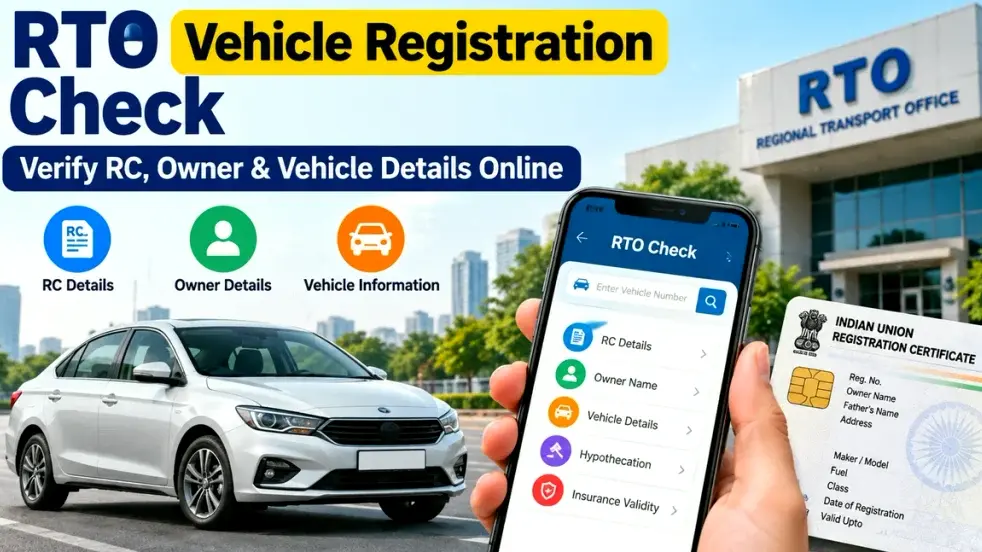
Whether you are checking your own vehicle, reviewing the documents of a used vehicle, or simply confirming whether the registration information matches the RC, understanding how an RTO vehicle registration check online works can help you make a more informed decision.
What Is an RTO Vehicle Registration Check?
An RTO vehicle registration check is a process used to review information associated with a vehicle’s registration number.
Every legally registered vehicle receives a registration number from the relevant Regional Transport Office or registering authority. This number is linked with the vehicle’s registration record.
Depending on the service being used and the information permitted for display, an online vehicle check may provide details such as:
- Vehicle registration status
- Registering authority or RTO
- Vehicle make and model
- Fuel type
- Vehicle class
- Registration date
- RC-related information
- Insurance-related information where available
- Fitness or validity information for applicable vehicles
- Other vehicle specifications
For privacy and security reasons, complete personal information about a vehicle owner may not always be displayed publicly.
RTO Vehicle Registration Check: Quick Overview
| Information | What You May Be Able to Check |
|---|---|
| Registration Number | Vehicle’s official registration number |
| RC Status | Registration-related status |
| RTO Details | Registering authority or RTO |
| Vehicle Class | Car, motorcycle, commercial vehicle, etc. |
| Fuel Type | Petrol, diesel, CNG, electric, etc. |
| Make/Model | Manufacturer and vehicle model details |
| Registration Date | Date associated with vehicle registration |
| Insurance | Available insurance-related status/details |
| Fitness | Fitness information for applicable vehicles |
| Digital RC | May be available through authorized digital platforms |
The exact information available can differ depending on the vehicle, state, database availability, and the service used.
Why Should You Check Vehicle Registration Details?
An online vehicle registration check can be useful in several situations.
1. Before Buying a Used Vehicle
When purchasing a second-hand car or motorcycle, never depend only on what is written in an advertisement.
Check whether the registration number and vehicle information correspond with the documents shown by the seller.
This can help identify obvious inconsistencies before you proceed with payment or ownership transfer.
2. Verify RC Information
Your Registration Certificate is one of the most important vehicle documents.
An online check can help you compare available digital information with the physical or digital RC.
Pay attention to information such as registration number, vehicle class, fuel type, make/model, and registration status.
3. Check Registration Status
If you recently purchased, transferred, or updated a vehicle, checking the registration information can help you understand whether relevant information has been reflected in the system.
Processing periods may vary depending on the service and registering authority.
4. Verify a Vehicle Before a Transaction
Vehicle details should be checked before making a major payment for a used vehicle.
An online check is not a replacement for professional inspection or complete document verification, but it can be an important first step.
How to Check RTO Vehicle Registration Details Online
The exact interface may change, but the general process is straightforward.
Step 1: Keep the Vehicle Registration Number Ready
First, note the complete registration number of the vehicle.
For example:
WB 00 AB 1234
Enter the number carefully because even one incorrect character can result in an invalid or different search.
Step 2: Visit an Authorized Vehicle Service
Use an official or authorized transport service for checking vehicle information.
VAHAN citizen services provide vehicle- and RC-related options, including a “Know your Vehicle Details” service.
Avoid entering personal information on unknown websites simply because they claim to provide complete owner details.
Step 3: Enter the Registration Number
Type the vehicle registration number in the required field.
Some platforms may require login, mobile verification, CAPTCHA, or another security step.
Step 4: Review the Available Information
Once the vehicle is found, carefully review the information displayed.
Compare it with the RC and other documents provided for the vehicle.
What Details Should You Verify Before Buying a Used Car or Bike?
If you are purchasing a used vehicle, checking only the registration number is not enough.
Verify multiple details before making the final payment.
Registration Certificate
Check the RC and confirm that the vehicle number, chassis-related information, vehicle class, fuel type, and other relevant details are consistent.
Seller and Ownership Documents
Make sure the person selling the vehicle has the authority to sell it.
Where appropriate, verify the ownership and transfer documents through the relevant RTO process.
Insurance
Check whether the vehicle has a valid insurance policy and review the policy details carefully.
Never assume insurance is valid merely because the seller provides an old policy document.
Pending Loan or Hypothecation
If the vehicle was financed, check whether any loan or hypothecation-related entry still applies.
A vehicle with unresolved finance-related documentation may require additional steps before a clean transfer can be completed.
Challans
Check applicable traffic challans and understand whether any unpaid obligations remain.
Physical Inspection
Digital vehicle records cannot tell you everything about the mechanical condition of a car or bike.
Before purchasing an expensive used vehicle, consider getting it inspected by a qualified mechanic or service center.
Digital RC Through DigiLocker
Vehicle owners may also be able to access their digital Registration Certificate through DigiLocker.
DigiLocker states that digital vehicle RC documents can be fetched from Ministry of Road Transport and Highways records, subject to the required information being available and matching the issuer database. It also explains that issued digital RC documents can be authenticated digitally.
A digital RC can be convenient because it reduces dependence on carrying a physical document at all times.
However, users should always retrieve documents through official services rather than saving screenshots from unknown third-party websites.
Vehicle Details Not Showing Online? Possible Reasons
Sometimes a registration search may not return the expected information.
Possible reasons include:
Incorrect registration number: Recheck every letter and digit.
Old records: Some older vehicle records may not be fully available in the relevant digital database.
Recently updated registration: Recent changes may require time to appear.
Database mismatch: Information submitted may not match the existing vehicle record.
Temporary technical issue: Government portals may occasionally experience maintenance or server problems.
DigiLocker also notes that a digital RC cannot be fetched if the relevant registration record is not available in the National Register or if submitted information does not match issuer data.
Important Safety Tips While Checking Vehicle Details
Use vehicle-registration information responsibly.
Do not rely on websites promising sensitive personal details about vehicle owners without proper authorization.
For important transactions:
- Prefer official transport portals.
- Verify original documents.
- Compare vehicle and RC information.
- Check insurance independently.
- Review applicable challans.
- Confirm ownership-transfer requirements.
- Inspect the actual vehicle.
- Never pay the complete purchase amount only on the basis of an online screenshot.
For a used vehicle, digital verification should be treated as one part of a broader verification process.
FAQs – RTO Vehicle Registration Check
1. Can I check vehicle details using the registration number?
Yes. Authorized vehicle services can allow users to check available vehicle-related information using a registration number. The information displayed may depend on the service and applicable privacy rules.
2. Can I check the full vehicle owner’s name online?
Complete personal owner information may be restricted for privacy and security reasons. Do not trust unauthorized websites claiming to reveal confidential owner data.
3. What is an RC?
RC stands for Registration Certificate. It confirms that a vehicle has been registered with the appropriate registering authority.
4. Can I check RC status online?
Available RC and registration-related information can be checked through authorized transport services using the vehicle registration number.
5. Can I download my vehicle RC online?
Eligible users may be able to access a digital vehicle RC through services such as DigiLocker when the required record is available and the details match.
6. Why is my vehicle registration number not showing any details?
This may happen because of incorrect information, an old or unavailable digital record, a recent update, a database mismatch, or a temporary system issue.
7. Is an online vehicle check enough before buying a used vehicle?
No. You should also verify original documents, insurance, ownership-transfer requirements, applicable challans, finance or hypothecation status, and the physical condition of the vehicle.
8. Can I check vehicle insurance through the registration number?
Insurance-related information may be available through authorized services, depending on database availability. For an important transaction, also verify the policy directly through the relevant insurer or authorized platform.
9. Should I use third-party RTO websites?
Use caution. Official or authorized services are preferable, especially when entering registration numbers, mobile numbers, Aadhaar-related information, or other personal details.
10. What should I do if the online RC details are incorrect?
If you notice an important mismatch, contact the relevant registering authority or RTO and follow the prescribed process for verification or correction.
Conclusion
An RTO Vehicle Registration Check is a convenient way to verify important RC and vehicle information using a registration number. It can be particularly useful when checking your own vehicle records, confirming registration information, or evaluating a second-hand car or bike before purchase.
However, online information should not be your only source of verification. For a used vehicle transaction, compare the available digital record with the RC, insurance documents, ownership information, applicable challans, finance status, and the actual vehicle.
Whenever possible, use official or authorized platforms for RC status, RTO vehicle details, registration information, and digital vehicle documents. A few minutes of careful verification can help prevent document mismatches and make a vehicle transaction more transparent and informed.