RTO Vehicle Information App – Check Vehicle Owner Details Online in India
Checking vehicle registration information online has become more convenient with digital transport services in India. Whether you are planning to purchase a second-hand vehicle, verify registration details, or review basic vehicle information, an RTO vehicle information app can help you access selected records using your smartphone.
These apps and official transport services may provide information linked to a vehicle registration number, depending on the available records and applicable privacy restrictions. They can help users review vehicle details without immediately visiting a Regional Transport Office (RTO).
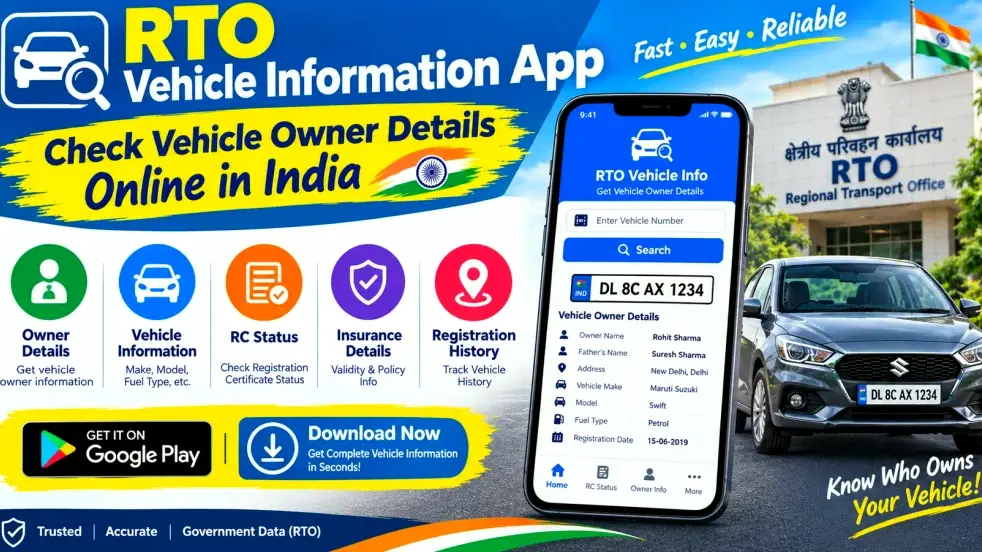
In this guide, you will learn how to check vehicle information online in India, understand the features of an RTO vehicle information app, and discover important precautions when verifying a vehicle or its owner-related details.
What Is an RTO Vehicle Information App?
An RTO vehicle information app is a mobile application that helps users access selected vehicle registration and transport-related information. Some applications connect users with official services, while others provide search tools or links to government transport portals.
Depending on the app and available records, a vehicle search may display information such as registration details, vehicle category, manufacturer or model information, fuel type, and selected registration-related status fields.
However, not every app provides the same features. Private owner information may be restricted, and users should avoid applications that promise unrestricted access to personal data. For reliable verification, use official government transport services whenever possible.
Quick Overview of RTO Vehicle Information Apps
| Feature | Details |
|---|---|
| Main Purpose | Check available vehicle registration information |
| Search Method | Vehicle registration number |
| Coverage | Indian vehicle records supported by the service |
| Possible Information | Selected registration and vehicle details |
| Owner Information | Limited to legally accessible information |
| Official Service | Parivahan and other authorised transport services |
| Platform | Mobile apps and online portals |
| Internet Requirement | Generally required for online searches |
| Common Use | Vehicle research and second-hand vehicle checks |
| Availability | Depends on records and service functionality |
How to Check Vehicle Information Online in India
Follow these steps to search for vehicle registration information using a suitable app or official online service.
Step 1: Choose a Reliable App or Official Portal
Open your smartphone’s official app marketplace and search for a vehicle information app. Check the developer’s identity, permissions, privacy policy, and reviews before installing it.
For government vehicle information, consider using the official Parivahan portal or the relevant transport authority’s service. Avoid unknown apps that claim to reveal confidential personal information.
Step 2: Open the Vehicle Search Feature
Launch the application and find the option related to vehicle information, registration details, or vehicle number search.
The exact menu names may differ between applications. If you are using an official website, follow the instructions displayed on the relevant service page.
Step 3: Enter the Vehicle Registration Number
Enter the complete registration number in the search field. Check the letters and digits carefully before submitting your request.
An incorrect registration number can return no result or lead you to review information associated with a different vehicle.
Step 4: Submit Your Search
Tap the search button or follow the portal’s instructions. Some services may require additional information, authentication, or verification.
If a matching record is available, the service may display selected vehicle registration information.
Step 5: Review the Available Details
Check the information carefully and compare it with the vehicle’s registration certificate. If you are researching a used vehicle, do not rely solely on an app result. Verify the original documents and seek official confirmation if anything appears inconsistent.
What Vehicle Details Can You Check Online?
The information available depends on the app, official database, and applicable privacy rules. Selected vehicle records may include the following details.
- Vehicle Registration Number: The number associated with the vehicle’s registration record.
- Vehicle Category: The recorded class or category of the vehicle, where available.
- Manufacturer or Model: Vehicle make or model information, if provided by the service.
- Fuel Type: The recorded fuel category, where available.
- Registration Information: Selected details related to the vehicle’s registration.
- Registration Status: Status-related information, if supported by the relevant service.
- Other Available Fields: Additional vehicle information permitted by the service.
Owner-related information may be limited or partially masked. The app may not display a complete owner’s name, address, phone number, or other private details. Respect privacy restrictions and use information only for lawful purposes.
How to Check Vehicle Owner Details Online
If you need to verify who is associated with a vehicle’s registration, begin with the official Parivahan service or the relevant RTO.
Enter the registration number where the official service supports a lookup, then review the information that is legally available. If you are purchasing a used vehicle, ask the seller to provide the original Registration Certificate (RC) and appropriate identification or ownership-transfer documents.
Compare the registration number and vehicle details across the available records. If the seller’s information does not match the documents, request clarification before paying or completing the transfer.
A basic online vehicle search does not independently prove legal ownership, confirm that a vehicle has no outstanding loan, or establish that all documents are valid. Additional checks may be required.
Benefits of Using an RTO Vehicle Information App
1. Convenient Online Access
A smartphone allows users to check available vehicle information without immediately travelling to an RTO for every basic query.
2. Help With Used Vehicle Research
Checking available registration information can help prospective buyers compare the vehicle with its documents before making a purchase decision.
3. Quick Registration Checks
Users can search for supported vehicle information when they need to review basic registration details.
4. Better Document Verification
Digital information can be compared with the original RC and other relevant records to identify possible inconsistencies.
5. Access to Digital Transport Services
Some apps provide access to supported virtual document features or links to other transport-related services. Availability varies by application and official record.
RTO Vehicle Information App vs. Official Parivahan Services
| Comparison | Vehicle Information App | Official Parivahan Service |
|---|---|---|
| Main Purpose | Search or display selected vehicle details | Provide supported government transport services |
| Information Source | Depends on the app and its data source | Official transport records for the relevant service |
| Owner Information | May be limited or unavailable | Subject to applicable access and privacy rules |
| Document Verification | Useful as an initial check | Can support official verification where available |
| Best Use | Convenient preliminary research | Government-related transport information and services |
For important legal, ownership, or registration decisions, official services and original documents should take priority over information displayed by an unverified third-party application.
Common Problems and Their Solutions
Vehicle Details Are Not Showing
Check the registration number for typing mistakes. If the search still returns no result, the record may be unavailable through that service. Try the official Parivahan portal or contact the relevant RTO.
The App Shows Incorrect Information
Compare the displayed details with the original RC. If the discrepancy continues, seek clarification from the appropriate transport authority.
The App Is Not Working
Check your internet connection, update the app through the official app store, and reopen it. Temporary technical issues may also affect searches.
Owner Details Are Hidden
Some personal information is restricted to protect privacy. Use authorised procedures if you have a legitimate reason to request further information. Do not attempt to bypass access restrictions.
Safety Tips When Checking Vehicle Details
Always choose a reliable app and review its permissions before installing it. Avoid unknown APK files and services that request unnecessary personal information or promise access to confidential owner data.
When buying a second-hand vehicle, inspect the original RC, verify the seller’s identity, and check relevant insurance and other documents. Follow the applicable process for ownership transfer and consult the RTO if you discover a mismatch.
Never share OTPs, passwords, or sensitive personal information with unknown people claiming to provide vehicle verification services.
Frequently Asked Questions (FAQs)
1. What is an RTO vehicle information app?
It is a mobile application that helps users access selected vehicle registration and transport-related information, depending on its features and data sources.
2. How can I check vehicle details online in India?
Use a reliable vehicle information app or an official Parivahan service. Enter the registration number where supported and review the information returned by the service.
3. Can I check vehicle owner details using a registration number?
You may be able to access selected owner-related or registration information where legally permitted. Personal details may be restricted or masked under applicable privacy rules.
4. Is an RTO vehicle information app free to use?
Some apps offer basic searches without charge, while other features may have fees or limitations. Check the app’s terms before using paid services.
5. Is the information shown by every vehicle app official?
No. Different applications may use different data sources. Use official government services for important registration checks and verify the details against original documents.
6. Can I use a vehicle information app before buying a second-hand car or bike?
Yes. It can help you review available registration information. However, you should also inspect the original documents and verify the seller’s identity before purchasing the vehicle.
7. Why are some owner details hidden?
Personal information may be restricted to protect privacy and comply with applicable rules. Only information made available through authorised services should be accessed.
8. Can I check vehicle insurance details online?
Insurance information may be available through supported official or authorised services. Availability and displayed details depend on the relevant records and service.
9. What should I do if the registration details appear incorrect?
Recheck the registration number and compare the result with the original RC. If the discrepancy remains, contact the relevant RTO or use an official transport service.
10. Does an online vehicle search prove legal ownership?
No. A search result is an initial information check, not conclusive proof of legal ownership. Verify the original documents and complete the required official procedures.
Conclusion
An RTO vehicle information app can make it easier to check selected vehicle registration details online in India. By entering a registration number into a supported service, users may be able to review basic information and compare it with a vehicle’s documents.
However, access to vehicle owner details is subject to privacy restrictions, and information may vary between apps. For reliable results, use official Parivahan services, inspect the original Registration Certificate, and consult the relevant RTO when necessary. These steps are especially important when purchasing a used vehicle or resolving a registration discrepancy.
Disclaimer
This article is intended for general informational purposes only. App features, available vehicle records, and access requirements may change. Always consult official Parivahan services and the relevant transport authority for current information. Do not use vehicle information services to obtain restricted personal data or for unlawful purposes.