Know Vehicle Owner Details Online – Search by Registration Number & Check RC Info
Buying a used vehicle, checking registration information, or verifying the status of an RC has become easier with online vehicle-information services. Instead of visiting an RTO for every basic query, users can search using a vehicle registration number and view available registration-related information online.
If you want to know vehicle owner details online, the vehicle registration number is usually the main information required to begin a search. Official transport services such as VAHAN provide options including “Know Your Vehicle Details” as part of their citizen services.
However, it is important to understand that online searches are primarily intended for vehicle and registration verification. Personal information may be limited or masked for privacy and security reasons. The exact information displayed can also depend on the state, vehicle record, and service being used.
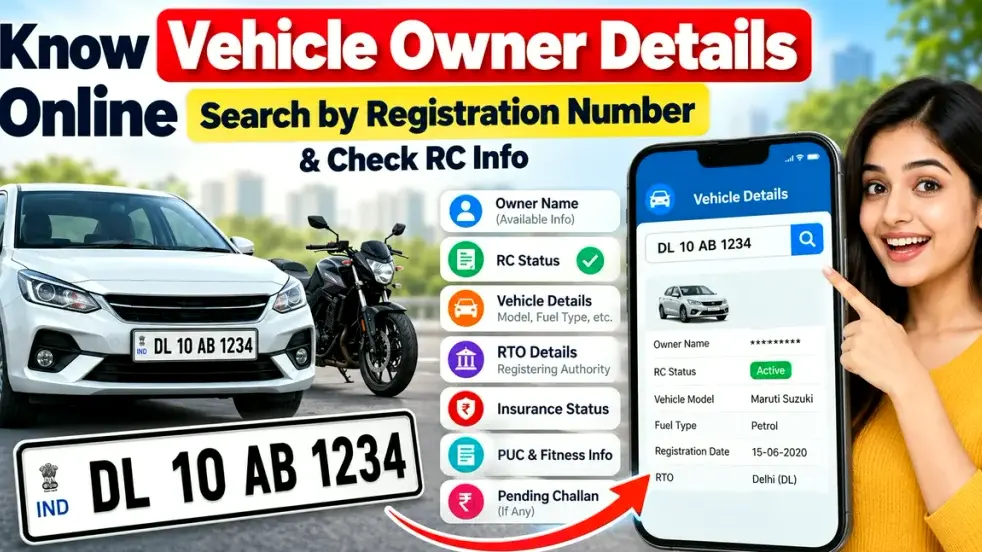
This guide explains how to search vehicle details by registration number, what RC information may be available, why you should verify a vehicle before buying it, and what to do when the information is not found.
What Is a Vehicle Registration Number?
A vehicle registration number is the unique number assigned to a vehicle when it is registered with the concerned Regional Transport Office or registering authority.
For example, a registration number may look like:
WB 01 AB 1234
The registration number can generally indicate the state or Union Territory, registering authority or RTO series, and the unique vehicle number.
It is printed on the vehicle’s registration certificate and displayed on the vehicle’s number plate.
Because registration information is maintained through transport authorities, this number can be used to locate available RC and vehicle-related records.
What Vehicle Details Can You Check Online?
Depending on the record and service, searching a registration number may help you verify several important details.
| Vehicle Information | What It Helps You Check |
|---|---|
| Registration Number | Confirms the vehicle number entered |
| Registration Status | Shows whether the RC record is active or has another recorded status |
| Vehicle Class | Car, motorcycle, commercial vehicle, etc. |
| Fuel Type | Petrol, diesel, CNG, electric or other recorded fuel |
| Maker/Model Information | Helps identify the registered vehicle |
| Registration Date | Indicates when the vehicle was registered |
| Registering Authority | Shows the concerned RTO or registration office |
| Insurance Information | May help verify available insurance-related information |
| Fitness Information | Important particularly for applicable vehicle categories |
| PUC/Emission Information | May show available pollution-related status |
| Owner-Related Information | Limited or masked information may be shown depending on access and record |
Government transport systems also use vehicle records to verify items such as registration, insurance, fitness and tax information.
How to Know Vehicle Owner Details Online by Registration Number
The safest approach is to use the official Parivahan/VAHAN services instead of entering vehicle information on unknown websites.
Step 1: Open the Official Vehicle Service
Go to the official Parivahan/VAHAN citizen-service platform.
Look for the Know Your Vehicle Details or relevant vehicle-information option. VAHAN’s citizen-services interface currently includes a “Know your Vehicle Details” service.
Step 2: Enter the Registration Number
Enter the complete vehicle registration number exactly as it appears on the number plate or RC.
For example:
MH 12 AB 4567
Avoid confusing letters such as O with the number 0 or I with the number 1.
Step 3: Complete Verification
Depending on the service, you may be asked to sign in, complete a CAPTCHA, verify an OTP, or complete another security step.
These checks help prevent automated misuse of vehicle records.
Step 4: View Available Vehicle Information
After successful verification, the portal may display available registration and vehicle-related information.
Check whether the vehicle number, model, registration status, registering authority and other available RC information match the vehicle you are checking.
Can You Find the Full Owner Name from a Vehicle Number?
A common search query is “vehicle number owner name check online.”
A registration-number search may provide owner-related information, but users should not assume that every service will reveal a person’s complete name or other personal details.
For privacy and security reasons, some information may be masked or restricted. Availability may also differ depending on the purpose of the service and the records maintained by the transport authority.
Therefore, if you are purchasing a used vehicle, do not depend only on an online owner-information search.
Compare the online record with the original RC and other legitimate vehicle documents supplied by the seller.
Why Should You Check RC Details Before Buying a Used Vehicle?
An online RC check can be particularly useful when buying a second-hand car or motorcycle.
Suppose a seller claims that a vehicle is registered under a particular category, model year or RTO. A registration-number lookup can help you compare the available official record with the information provided by the seller.
Before completing a used-vehicle purchase, verify important details such as:
- Registration number and RC information
- Vehicle make and model
- Fuel type
- Registration date
- Chassis and engine details where legitimately available
- Insurance validity
- Applicable fitness information
- PUC status
- Pending challans
- Hypothecation or loan-related details where applicable
- Seller’s identity and ownership documents
This additional verification can help reduce the risk of purchasing a vehicle with inconsistent documentation.
How to Check Vehicle RC Status Online
RC stands for Registration Certificate. It is one of the most important documents associated with a registered vehicle.
To check RC-related information online, enter the vehicle registration number through the official vehicle service and review the available registration status.
Some official RC-related services require login, registration details and OTP verification. The Parivahan user manual for RC Particulars, for example, describes login followed by vehicle details and OTP verification for that specific service.
Do not confuse a simple vehicle-information lookup with a certified RC Particulars service, as they may have different requirements and purposes.
How to Check Pending Vehicle Challan
Vehicle owners and potential buyers may also want to verify whether a vehicle has pending traffic challans.
The official eChallan service supports searches using details such as a challan number, vehicle number or driving-licence number, depending on the service.
Checking challans can be useful before purchasing a used vehicle because unresolved penalties could indicate issues that should be discussed with the seller before ownership transfer.
Always use an official transport or traffic-police portal when checking or paying a challan.
What If Vehicle Details Are Not Showing?
Sometimes a registration-number search does not return the expected information.
There can be several possible reasons.
The registration number may have been entered incorrectly, the record may not have been updated, older records may have limited digital availability, the portal may be temporarily unavailable, or the vehicle record may require verification through the relevant RTO.
First, check the registration number carefully and try again later.
If the issue continues and the information is important for a vehicle purchase, transfer or legal requirement, contact the concerned registering authority instead of relying on unofficial websites.
Avoid Fake Vehicle Owner Search Websites
Searching for “vehicle owner details by number plate” can produce many third-party websites and apps.
Be careful before entering personal details, mobile numbers, OTPs or payment information on unknown platforms.
The official eChallan service specifically warns users about fraudulent websites and apps impersonating government challan services and advises people to use official services.
Never share your banking password, card PIN or OTP merely to perform a basic vehicle-information search.
Benefits of Checking Vehicle Details Online
Online vehicle verification can save time when you need basic registration information.
It can help confirm whether vehicle details match the RC, support preliminary verification before buying a used vehicle, identify the registering authority, review available registration status, and check related records through official services.
However, an online lookup should be treated as a verification tool rather than a replacement for original documentation.
For a used vehicle purchase, always inspect the physical RC and other required documents and complete ownership transfer through the proper transport-authority process.
Frequently Asked Questions
1. How can I know vehicle owner details online?
You can search the registration number through official vehicle-information services such as the Parivahan/VAHAN platform. The amount of owner-related information shown may be limited or masked.
2. Can I search vehicle details using only the registration number?
For basic vehicle-information searches, the registration number is commonly used as the primary identifier. Some services may additionally require login, CAPTCHA or OTP verification.
3. Can I see the full owner’s name from the number plate?
Not necessarily. Personal information may be masked or restricted for privacy. Use the available information mainly to verify the vehicle and its registration record.
4. Can I check RC status online?
Yes. Official transport services provide vehicle and RC-related facilities that can be used to review available registration information.
5. Can I check insurance information using a vehicle number?
Available vehicle records may include insurance-related information, although the exact information displayed can vary by record and service.
6. How can I check a vehicle’s pending challan?
Use the official eChallan portal and search using the supported vehicle or challan details. The official service includes a vehicle-number search option for challan status.
7. Why is my vehicle registration number not showing any details?
Possible reasons include an incorrect number, older or incomplete digital records, record-update delays or temporary technical problems. Contact the concerned RTO if the issue persists.
8. Is an online RC check enough before buying a used car?
No. It is useful for initial verification, but you should also verify the original RC, seller identity, insurance, applicable PUC and fitness records, pending challans, loan/hypothecation status and ownership-transfer documents.
Conclusion
Knowing how to check vehicle owner details online by registration number can make vehicle verification faster and more convenient. A number-plate search can help you review available RC status, registration details, vehicle class, model information, registering authority and other vehicle records before making an important decision.
For the safest results, use official Parivahan, VAHAN or authorised state transport services and remember that personal owner information may be limited for privacy.
If you are buying a used car or bike, combine the online vehicle-number search with a careful check of the original RC, insurance, challans and other relevant documents. A few minutes of verification can help you make a much more informed vehicle purchase.