Check Vehicle RC Details Online – Registration, Owner Name & RTO Information
Checking vehicle RC details online is one of the easiest ways to verify basic registration information before buying, selling, or transferring a vehicle. Whether you own a car, bike, scooter, or commercial vehicle, the Registration Certificate (RC) contains important details connected with the vehicle and its registering authority.
Today, vehicle owners can use official digital services to check available RC and registration information without depending entirely on physical paperwork. The Government’s VAHAN citizen services include options such as Know Your Vehicle Details, RC-related services, vehicle-related services, document downloads, and application-status services.
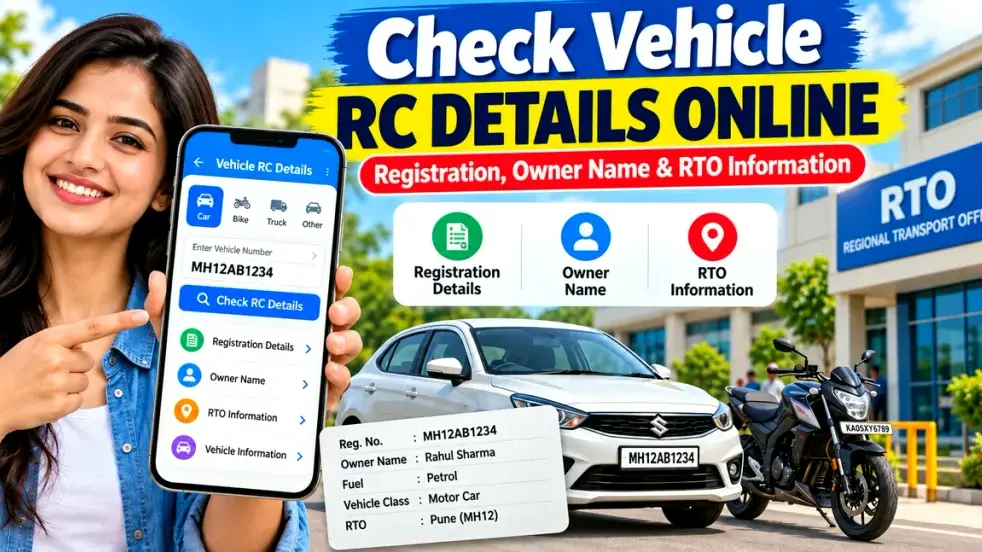
An online vehicle RC check can also be useful when purchasing a second-hand vehicle. You can compare the available digital record with the documents presented by the seller and identify obvious mismatches before making a payment.
What Is a Vehicle RC?
RC stands for Registration Certificate. It is an official document showing that a vehicle has been registered with the appropriate registering authority.
The RC contains information related to the vehicle, its registration, and other important specifications. Depending on the record and service used, vehicle information may include the registration number, vehicle class, make or model, fuel type, registration date, and other relevant details.
An RC is particularly important during:
- Vehicle ownership transfer
- Used car or bike purchase
- Insurance-related procedures
- Vehicle resale
- Address or registration updates
- Finance or hypothecation-related transactions
- General vehicle verification
Keeping RC information accurate is therefore important for every registered vehicle owner.
Vehicle RC Details Online – Quick Overview
| RC Information | What It Tells You |
|---|---|
| Registration Number | Unique registration number of the vehicle |
| Registration Status | Current registration-related information |
| RTO/Registering Authority | Authority where the vehicle is registered |
| Vehicle Class | Car, bike, commercial vehicle, etc. |
| Fuel Type | Petrol, diesel, CNG, electric, etc. |
| Maker/Model | Vehicle manufacturer and model |
| Registration Date | Date related to registration |
| Insurance Information | Available policy-related details |
| Fitness Details | Applicable mainly to certain vehicle categories |
| Hypothecation | Finance-related entry where applicable |
The exact fields displayed may differ depending on the vehicle record, state, portal, and privacy restrictions.
How to Check Vehicle RC Details Online
Checking vehicle registration information is generally simple if you have the correct registration number.
Step 1: Keep the Vehicle Number Ready
First, note the complete registration number shown on the number plate or RC.
For example:
MH 01 AB 1234
Make sure every letter and digit is entered correctly.
Step 2: Use an Official Vehicle Service
Visit an official or authorized vehicle-services platform. VAHAN citizen services include a Know Your Vehicle Details option along with multiple RC and vehicle-related services.
Avoid entering sensitive information on unknown websites that promise unrestricted access to private owner data.
Step 3: Enter the Required Details
Enter the registration number and complete any authentication or security step requested by the platform.
Some services may require login, CAPTCHA, registered mobile verification, chassis details, or OTP depending on the service being requested.
For example, the official VAHAN instructions for certain RC Particulars services require login, registration and chassis information, followed by OTP verification.
Step 4: Review the Vehicle Information
Once the record is available, compare the information carefully with the RC or other vehicle documents.
Pay particular attention to:
- Registration number
- Vehicle make and model
- Vehicle category
- Fuel type
- Registration authority
- Registration validity where applicable
- Insurance information
- Finance or hypothecation details where available
Can You Check the Vehicle Owner Name Online?
Many users search for terms such as vehicle owner details by registration number or RC owner name check online.
However, vehicle owner information should be treated carefully because personal information is subject to privacy and access restrictions.
Official or authorized services may show only the information permitted for the particular user and service. You should not assume that the full name, address, mobile number, or other confidential details of any vehicle owner will be publicly available.
If you are purchasing a second-hand vehicle, ask the seller to provide the original RC and other supporting documents. Match these with the vehicle and any information available through official sources.
Why Check RC Details Before Buying a Used Vehicle?
A second-hand vehicle can involve a significant amount of money. Basic document verification can reduce the possibility of buying a vehicle with incomplete or mismatched records.
Verify Registration Information
Check whether the registration number and available digital information correspond with the vehicle being offered for sale.
Match the RC With the Vehicle
The make, model, fuel type, vehicle class, and other major information should be consistent with the actual vehicle.
Check Ownership Documents
Make sure the person selling the vehicle is legally authorized to complete the sale and ownership transfer.
Verify Insurance
Check whether valid vehicle insurance is available. Do not depend only on an old insurance printout shown by the seller.
Check Finance or Hypothecation
A financed vehicle may carry a hypothecation entry. If a loan has already been repaid, confirm that the required finance-removal process has been completed or is properly documented.
Check Pending Issues
Where applicable, check challans, tax matters, fitness requirements, ownership-transfer status, and other relevant documentation.
An online RC check is useful, but it should not replace complete document verification.
Digital Vehicle RC Through DigiLocker
Vehicle owners can also use DigiLocker to access eligible digital vehicle documents.
DigiLocker states that it is integrated with the National Register maintained by the Ministry of Road Transport and Highways, allowing eligible users to access digital vehicle Registration Certificates and Driving Licences. It also explains that issued digital documents can be authenticated using the digital signature or QR-based verification.
This can make it easier to access your own RC digitally.
DigiLocker also notes that a vehicle RC may not be retrieved if the record is unavailable in the National Register or if the details entered do not match the issuer’s database.
Vehicle RC Details Not Showing? Common Reasons
Sometimes users enter a registration number but cannot find the expected information.
Here are some possible reasons.
Incorrect Registration Number
A single incorrect digit or alphabet can prevent the correct record from appearing.
Check the number again before searching.
Old Vehicle Record
Some older vehicle records may have incomplete digital information or may require additional verification.
Recent Registration or Update
If the vehicle was recently registered or the RC was recently updated, the changes may take time to appear in the relevant system.
Details Do Not Match
Information entered for retrieving a document may not match the existing database record.
DigiLocker specifically notes that incorrect or mismatched information can prevent a digital RC from being retrieved.
Temporary Technical Problem
Government services may occasionally experience maintenance, network congestion, or temporary technical errors.
If the information is correct, try again later or contact the relevant authority for assistance.
Important Tips for Safe RC Verification
Vehicle information should always be checked through trustworthy sources.
Keep these points in mind:
- Prefer official government or authorized platforms.
- Double-check the registration number.
- Never share OTPs with unknown persons.
- Avoid websites asking for unnecessary sensitive information.
- Compare digital information with the actual RC.
- Check insurance separately when buying a used vehicle.
- Verify loan or hypothecation status where applicable.
- Check vehicle condition through a physical inspection.
- Complete ownership transfer through the proper process.
- Do not make a large payment based only on screenshots.
A genuine vehicle transaction should be supported by proper documentation as well as physical verification.
FAQs – Vehicle RC Details Online
1. How can I check vehicle RC details online?
You can use official or authorized vehicle services and enter the vehicle registration number along with any other information requested by the service.
2. Can I check an RC using only a vehicle number?
Basic vehicle information may be accessible using the registration number, while certain RC services may require additional details, authentication, or login.
3. Can I check the owner’s full name from the vehicle number?
The amount of owner information displayed depends on the service, authorization, and applicable privacy restrictions. Complete personal information should not be assumed to be publicly available.
4. What information is available in a vehicle RC?
An RC can contain registration number, registration authority, vehicle class, make/model, fuel information, registration dates, and other vehicle-related details.
5. Can I get my RC through DigiLocker?
Eligible users can retrieve digital RC documents through DigiLocker when the relevant vehicle record is available in the National Register and the required information matches.
6. Why are my RC details not showing online?
Possible reasons include incorrect details, old records, recent updates, temporary system issues, or a mismatch with the database.
7. Can I check insurance details with vehicle information?
Insurance-related information may be available through authorized vehicle services. For important transactions, verify the current policy independently as well.
8. Is an online RC check enough before buying a used car?
No. Also verify the original RC, insurance, ownership documents, finance status, challans where applicable, and the vehicle’s physical condition.
9. What is an RTO in vehicle registration?
The RTO or relevant registering authority manages vehicle-registration-related processes within its jurisdiction.
10. What should I do if my RC contains incorrect details?
Contact the relevant registering authority and use the prescribed process to request correction or update of the vehicle record.
Conclusion
A vehicle RC details online check is a useful way to review important registration and RTO information without relying entirely on physical documents. With the vehicle registration number, users can access available information and compare it with their Registration Certificate.
This becomes especially important when purchasing a used car or bike. Before completing a transaction, verify the RC, vehicle specifications, ownership documents, insurance information, finance or hypothecation status, and other applicable records.
Always prefer official or authorized services when checking vehicle registration, RC details, owner-related information, and RTO records. Online verification combined with proper document checks and physical inspection can help make a vehicle transaction safer, clearer, and more transparent.