Check Vehicle Owner Details by Number Plate – RC, Registration & RTO Information Online
Checking vehicle details before buying a used car or bike can help you understand its registration status, RC information, insurance validity, RTO records, and other important details. With online transport services now available in India, you can use a vehicle registration number or number plate to access basic vehicle information without repeatedly visiting an RTO office.
The Ministry of Road Transport and Highways provides the “Know Your Vehicle Details” facility through Parivahan, where users can search for basic details associated with a supplied vehicle number. This can be useful when purchasing a second-hand vehicle, checking your own RC information, verifying vehicle records, or confirming whether the registration number entered in a document is correct.
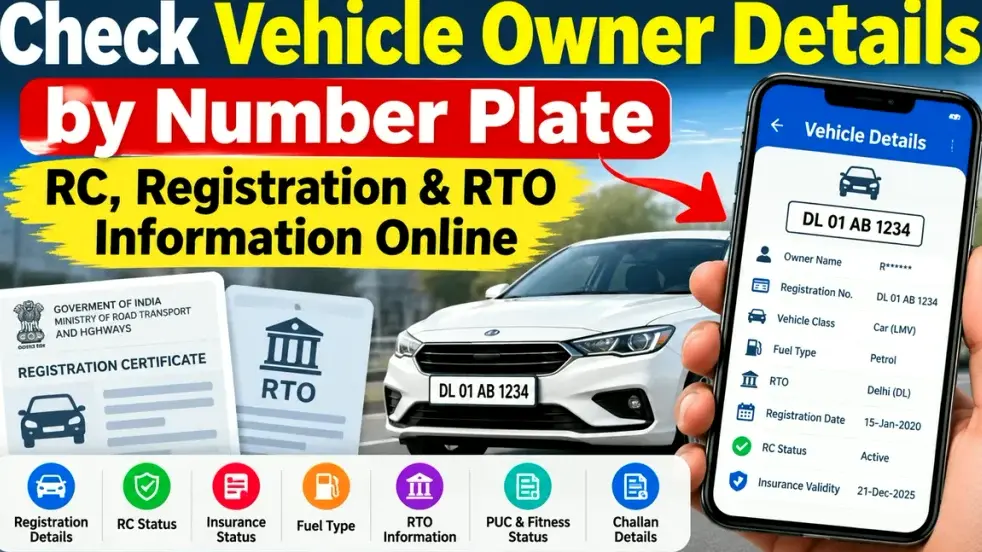
However, a number plate search should not be considered a tool for finding someone’s private personal information. Access to personally identifiable or sensitive transport data is controlled, and such data is subject to approval and data-sharing rules.
What Is a Vehicle Registration Number?
A vehicle registration number is the unique number assigned to a vehicle by the registering authority. It is displayed on the vehicle’s number plate and recorded on its Registration Certificate or RC.
A typical registration number may look like WB 01 AB 1234, DL 01 XX 1234, or MH 12 AB 5678. Different parts of the number generally identify the state or Union Territory, registering authority or RTO, series, and unique vehicle number.
This registration number becomes an important reference when checking vehicle-related records online.
What Vehicle Details Can Be Checked Online?
Depending on the service, state, and available government records, a vehicle number search may help users check several categories of information.
| Vehicle Information | What It May Help You Check |
|---|---|
| Registration Number | Registered vehicle number |
| RC Status | Whether registration information is available/active |
| Registering Authority | RTO or registering authority information |
| Vehicle Class | Car, motorcycle, commercial vehicle, etc. |
| Fuel Type | Petrol, diesel, CNG, electric or other type |
| Registration Details | Basic registration-related information |
| Insurance Status | Insurance validity/status where available |
| PUC Status | Pollution Under Control information where available |
| Fitness Status | Particularly relevant for applicable vehicles |
| Tax Status | Vehicle tax information where supported |
| Permit Status | Relevant mainly for transport/commercial vehicles |
| Challan Information | Pending or previous challan information through supported services |
| HSRP Information | High Security Registration Plate status where available |
Parivahan’s vehicle information service provides basic registration details, while its vehicle-status tools can also support checks such as insurance, PUCC, HSRP and pending challans. The mParivahan ecosystem also supports access to information such as RC status, insurance validity, tax, fitness, PUCC, permit status and challan history.
How to Check Vehicle Owner Details by Number Plate Online
If you have the vehicle registration number, you can start the verification process through official transport platforms.
- Visit the official Parivahan Sewa website or use the official mParivahan service.
- Find the option related to Know Your Vehicle Details or vehicle information.
- Enter the vehicle registration number exactly as shown on the number plate or RC.
- Complete the required login, captcha, OTP or verification process if requested.
- Submit the vehicle number and wait for the available record to appear.
- Review the registration, vehicle, RTO, insurance, PUC or other available information.
- For more detailed RC-related services, follow the relevant VAHAN citizen-service process and provide additional verification details when required.
The exact information and verification process can differ according to the service being used and the state where the vehicle is registered.
Can You Find the Full Owner Name From a Number Plate?
Many people search online for terms such as “vehicle owner details by number plate” or “owner name by vehicle number.” It is important to understand the difference between vehicle verification and unrestricted access to personal data.
Government transport databases contain owner-related information, but personally identifiable and sensitive information is subject to controlled access. The Ministry’s data-sharing policy specifically states that personally identifiable information and other sensitive parameters are shared with data recipients only after appropriate approval.
Therefore, you should not expect a public number-plate lookup to provide unrestricted access to details such as a vehicle owner’s home address, phone number, Aadhaar number or other confidential information.
For genuine legal requirements, accidents, fraud investigations or disputes, the appropriate police, insurance company, RTO or other authorized authority may be able to obtain information through official procedures.
Why Should You Check RC and Registration Details?
A quick vehicle number check can be particularly useful when dealing with a second-hand vehicle. A seller may provide details about the vehicle, but buyers should independently verify important records before completing a transaction.
The registration number should match the RC and the vehicle being sold. Buyers should also examine the original or authentic digital RC, insurance, chassis-related information and other relevant records rather than relying only on a screenshot from an online search.
Vehicle verification can also help identify discrepancies in registration information and encourage the buyer to investigate them before making payment.
Checking a Used Vehicle Before Buying
If you are planning to buy a used car or motorcycle, online RTO information should be only one part of your verification process.
Check that the registration number on the number plate matches the RC. Review the vehicle’s make, model and other available details. Confirm insurance validity and pollution certificate information where applicable. Inspect the chassis number physically and compare it with the documents.
You should also ask the seller about pending loans or hypothecation, challans, previous ownership, accident history, service records and the reason for selling the vehicle.
When ownership is transferred, it is important to complete the official transfer process instead of simply taking possession of the vehicle. VAHAN citizen services provide transfer-of-ownership facilities, and current instructions state that the seller initiates the ownership-transfer application before the buyer proceeds with the relevant process.
How to Check Digital RC
Vehicle owners can also access an authentic digital Registration Certificate through supported government services.
DigiLocker allows citizens to fetch a digital vehicle RC from Ministry of Road Transport and Highways records. Its guidance states that the digital RC can be accessed on desktop or mobile, and RCs issued through DigiLocker are recognized for verification according to the applicable government framework.
For your own vehicle, a digital RC can therefore be useful when you need convenient access to registration information.
Vehicle Number Search Through mParivahan
mParivahan is another useful option for vehicle-related information and services. It connects with transport records and provides access to multiple vehicle-related features.
According to Parivahan, mParivahan supports virtual RC services and can provide updated status relating to documents and records such as RC, insurance validity, tax, fitness, PUCC, permit and challans.
For regular vehicle owners, keeping official apps available can make it easier to review important document validity before travelling or completing a vehicle-related transaction.
Avoid Unofficial Vehicle Owner Search Websites
Many websites and apps claim that they can reveal complete owner information from a vehicle number. Users should be careful with such services.
Avoid entering Aadhaar numbers, banking credentials, OTPs or unnecessary personal information into unknown websites. For vehicle registration and RTO information, prefer government services such as Parivahan, VAHAN, mParivahan and DigiLocker.
Also remember that an online lookup should be used for legitimate vehicle verification purposes, not to track, harass or obtain another person’s confidential information.
Frequently Asked Questions
Can I check vehicle details using only the number plate?
Yes. The official Parivahan service provides a “Know Your Vehicle Details” facility for checking basic information using a vehicle number. Additional verification may be required depending on the service.
Can I find the vehicle owner’s full address from the registration number?
Public vehicle-search services should not be treated as a way to obtain unrestricted private information. Personally identifiable and sensitive transport data is subject to controlled access and applicable data-sharing rules.
Can I check RC status online?
Yes. Vehicle-registration and RC-related services are available through the Parivahan and VAHAN ecosystem. The information shown will depend on the vehicle record and service being used.
Can I check vehicle insurance using the registration number?
Insurance status or validity may be available through supported Parivahan/mParivahan vehicle services. For a purchase or claim, however, confirm the insurance directly from the relevant policy document or insurer as well.
Can I check pending challans using the vehicle number?
Yes. The official eChallan service includes a vehicle-number option for checking pending challan information.
Is online vehicle information enough before buying a used car?
No. Online details are useful for preliminary verification, but buyers should also inspect the original or authentic digital RC, insurance, chassis number, service history, pending finance or hypothecation, challans and the physical condition of the vehicle.
Is a DigiLocker RC valid?
DigiLocker states that digital RC documents fetched through its issued-document system can be verified digitally and are recognized in accordance with the applicable government framework.
What should I do if vehicle details do not match the RC?
Recheck the registration number first. If an important discrepancy remains, contact the relevant RTO or use the appropriate official VAHAN/Parivahan service before proceeding with a purchase, sale or ownership-transfer transaction.
Conclusion
Checking vehicle owner details by number plate, RC status, registration and RTO information online has become much easier with official digital transport services. A registration-number search can help you review important vehicle-related information such as RC status, registering authority, insurance, PUC, fitness, tax, permits and challans where those records are available.
For anyone buying a used car or bike, this verification is an important first step. However, online vehicle information should be combined with document verification, physical inspection and proper ownership-transfer procedures.
Most importantly, use official services such as Parivahan, VAHAN, mParivahan and DigiLocker and avoid websites claiming to reveal confidential personal information about a vehicle owner. A careful verification process can help you make a safer and better-informed vehicle transaction.