RTO Vehicle Information App Guide – Check Vehicle Registration and Challan Status
Introduction
Checking vehicle registration details and traffic challan status online has become easier with digital transport services in India. If you own a car, bike, scooter, or another registered vehicle, accessing the right information can help you stay informed about your vehicle documents and pending traffic fines.
An RTO Vehicle Information App can help users find available vehicle registration details by entering a vehicle registration number. Depending on the app and available records, users may also be able to check registration-related information, insurance validity, pollution certificate details, and challan status.
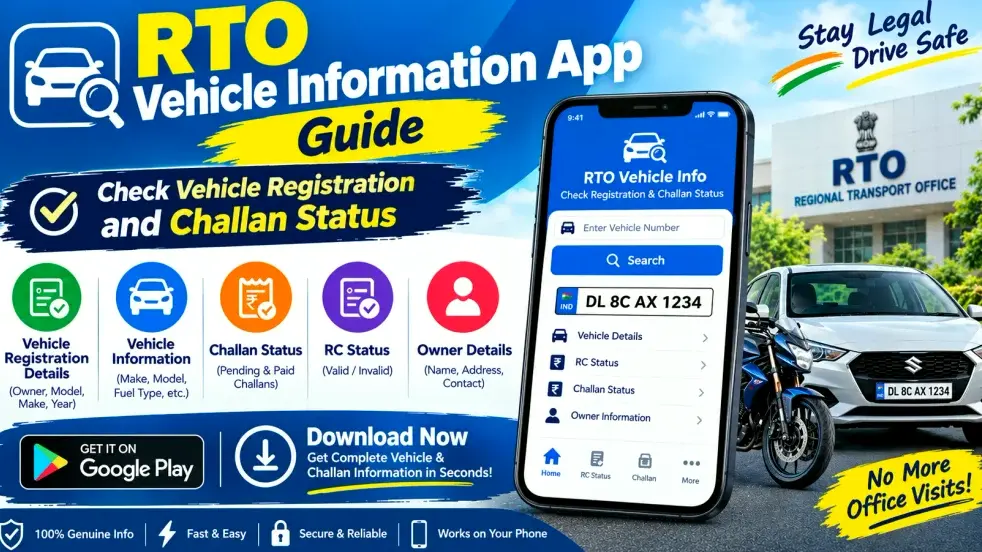
However, not every app provides every service. Information availability depends on the platform, government records, and the services supported in your location. This guide explains how to use an RTO vehicle information app, check vehicle registration details, review challan status, and use online vehicle services responsibly.
Quick Overview of the RTO Vehicle Information App
| Feature | Details |
|---|---|
| Main purpose | Access available vehicle-related information |
| Vehicle types | Cars, bikes, scooters, and other registered vehicles |
| Search method | Vehicle registration number |
| Registration information | Available RC and registration details |
| Challan status | Check through supported services |
| Additional information | Insurance or PUC details where available |
| Access | Compatible mobile apps and official online services |
| Availability | Depends on records, platform, and location |
What Is an RTO Vehicle Information App?
An RTO Vehicle Information App is a mobile application designed to help users access vehicle-related information digitally. Instead of visiting a Regional Transport Office for every basic query, users can check supported details from a smartphone.
Some apps provide registration information, vehicle class, fuel type, registration dates, and other available record details. Certain platforms also provide links or features for checking traffic challans.
It is important to understand that third-party apps may display information differently and may not have access to every official service. For government-related records, users should prefer official transport services, such as the Parivahan portal or the official mParivahan app, wherever applicable.
How to Check Vehicle Registration Details Online
Checking vehicle registration information is generally straightforward when the required records are available.
Step 1: Choose a Reliable App or Official Service
Select a reputable vehicle information app from your phone’s official app store. Check the developer name, permissions, privacy policy, and recent reviews before installing it.
For government-supported vehicle services, consider using official Parivahan resources or mParivahan.
Step 2: Open the Vehicle Information Feature
Launch the app and look for an option such as Vehicle Information, RTO Details, or Search Vehicle. The exact menu name can differ depending on the application.
Step 3: Enter the Vehicle Registration Number
Type the vehicle registration number carefully. Check the letters and digits before submitting the search. An incorrect number may produce an error or information for a different record.
Step 4: Review the Available Details
If the service supports the vehicle record, it may display selected registration details, such as vehicle class, registration status, fuel type, or other information permitted by the platform.
The available fields can vary, and some information may require verification through an official service.
Step 5: Verify Important Information
If you need information for a vehicle purchase, insurance matter, or legal purpose, confirm the details through the relevant official records. Do not rely solely on an unofficial app for important decisions.
How to Check Vehicle Challan Status
A traffic challan is a notice or penalty associated with a traffic violation. Depending on the service, you may be able to check challan information online without visiting an RTO.
Follow these steps:
- Open the official e-Challan service or a trusted app that supports challan checks.
- Select the available search method, such as vehicle number or challan number.
- Enter the requested details accurately.
- Complete any verification required by the service.
- Review the challan information, including the status and amount shown.
- If payment is available, follow the official payment instructions and retain the receipt.
A challan may not appear immediately in every system. If you believe a fine is incorrect or the information is missing, verify it through the official service and follow the available dispute or support process.
Safety tip: Avoid paying traffic fines through suspicious messages or unfamiliar payment links. Always verify the challan and payment destination before sharing financial information.
What Vehicle Details Can You Check?
The information available depends on the app and the underlying official records. Commonly supported fields may include:
- Registration details: Available registration number and registration-related information.
- Vehicle class: The recorded category of the vehicle.
- Fuel type: Petrol, diesel, electric, or another recorded category where available.
- Registration status: Available information about the vehicle’s registration record.
- Insurance information: Details where the connected service provides them.
- PUC information: Pollution Under Control certificate details where supported.
- Challan information: Available traffic challan records through a supported service.
Not all apps display every field, and some records may be outdated or unavailable. Always confirm important information through the relevant official channel.
Benefits of Using an RTO Vehicle Information App
Convenient Access
A mobile app can make basic vehicle information easier to access without a separate trip to an RTO for every query.
Better Document Awareness
Checking available registration and document information can help vehicle owners identify details that may need attention.
Easier Used-Vehicle Research
When considering a second-hand car or bike, checking available registration information can be one part of the verification process. It should be combined with document checks, a physical inspection, and confirmation of the seller’s authority to sell.
Challan Monitoring
Online challan services can help drivers review available traffic penalty records and take appropriate action when necessary.
Time-Saving Searches
Digital access can reduce the effort involved in finding basic information, although certain corrections, applications, or official procedures may still require additional steps.
RTO App vs Official Vehicle Services
| Comparison | Third-Party RTO App | Official Transport Service |
|---|---|---|
| Main purpose | Convenient access to selected information | Government-supported transport services |
| Registration lookup | Depends on the app | Available for supported records and services |
| Challan checking | Depends on integration | Use the official e-Challan service |
| Data availability | May be limited or delayed | Depends on official records and service availability |
| Payments | Verify the payment destination carefully | Follow the official payment process |
| Best use | General convenience | Verification and official transactions |
Important Safety and Privacy Tips
Before using any vehicle information app, keep these points in mind:
- Download applications only from trusted sources.
- Review the developer information and app permissions.
- Avoid sharing OTPs, passwords, or banking details with unknown parties.
- Do not assume that every app is affiliated with the government.
- Verify challan amounts and payment requests through official services.
- Avoid using vehicle information to harass, track, or expose another person.
- Remember that access to personal or sensitive owner information may be restricted.
- Keep screenshots or receipts of important official transactions where appropriate.
If the information shown by an app appears incorrect, check another trusted source or contact the relevant transport authority.
Frequently Asked Questions (FAQs)
1. What is an RTO Vehicle Information App?
It is a mobile application that helps users access available vehicle registration and related information. Features vary by app and the records it can access.
2. How can I check vehicle registration details online?
Choose a reliable app or official transport service, enter the vehicle registration number, and review the information made available by the service.
3. Can I check challan status using a vehicle number?
Yes, supported services may allow you to search for challans using a vehicle registration number. You can also use other search methods offered by the official e-Challan service.
4. Is an RTO Vehicle Information App free?
Some apps offer basic searches for free, while others may include paid features, subscriptions, or advertisements. Check the terms before making a payment.
5. Is every vehicle information app an official government app?
No. Many apps are developed by private companies. Check the developer details and use official transport services when you need government-supported information or transactions.
6. Can I check bike and car details in the same app?
Many vehicle information apps support both cars and two-wheelers. The exact vehicle categories and information available depend on the application and its supported records.
7. Why are vehicle details not showing in the app?
Possible reasons include an incorrect registration number, temporary service issues, incomplete records, or limited access to the requested information. Recheck the number and try an official service.
8. Can I pay a traffic challan through a mobile app?
Some services support online payment. Before paying, confirm the challan details and use the official payment process. Keep the payment receipt for your records.
9. Can an app show vehicle insurance and PUC details?
Some apps display insurance or Pollution Under Control certificate information where supported. Availability and accuracy depend on the connected service and its records.
10. Is the information shown by an RTO app always accurate?
Not necessarily. Data may be incomplete, delayed, or unavailable. Verify important registration, insurance, and challan details through official sources before making decisions.
Conclusion
An RTO Vehicle Information App can make it easier to check available vehicle registration details and review traffic challan status from a mobile phone. These digital tools can help vehicle owners stay informed, monitor document information, and complete supported online checks more conveniently.
For the best results, enter the registration number carefully, use a trustworthy application, and verify important details through official transport services. When checking or paying a challan, confirm the record and use the official payment channel. A combination of reliable digital tools and proper document verification can help you manage vehicle-related information more confidently.
Disclaimer
This article is for general informational purposes only. App features, vehicle records, and challan services may change or vary by location. This guide does not represent an official government service. Always consult the relevant official transport authority for verified information, legal requirements, and payments.