Caller Name Announcer App – Know Who’s Calling Without Looking at Your Phone
In today’s busy digital world, smartphones have become an essential part of everyday communication. Whether you are working, cooking, driving, or relaxing at home, incoming phone calls can interrupt your activities. Sometimes, checking your phone screen every time someone calls may not be convenient. This is where a Caller Name Announcer App can make a difference.
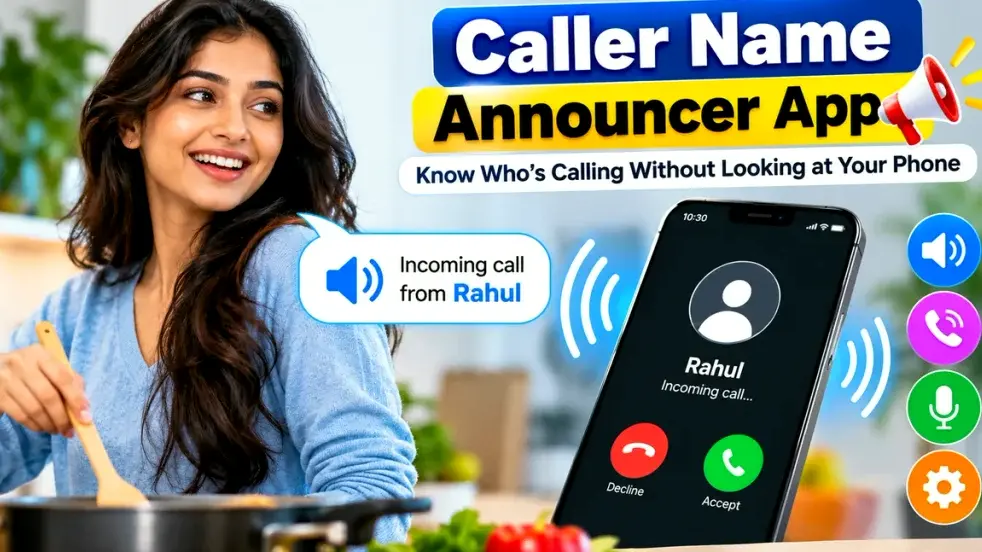
A Caller Name Announcer App is designed to announce the name of an incoming caller using voice technology. Instead of looking at your smartphone screen, you can hear the caller’s name through your phone speaker or connected audio device. This feature can help you decide whether to answer a call without immediately picking up your phone.
Many caller announcement applications offer additional features such as customizable announcement settings, ringtone controls, language options, and notification announcements. In this guide, we will explore how a Caller Name Announcer App works, its benefits, features, setup process, and important things to consider before using one.
What Is a Caller Name Announcer App?
A Caller Name Announcer App is a smartphone application that uses text-to-speech technology to announce the name or number associated with an incoming phone call.
When someone calls your phone, the application attempts to identify the caller using information available through your contacts or supported caller identification services.
If the number is saved in your contacts, the app can announce the saved contact name. For example, if your friend Rahul calls, the application may say, “Incoming call from Rahul.”
When an unknown number calls, some applications may announce the phone number or say “Unknown Caller,” depending on their settings and capabilities.
This functionality is especially helpful when your smartphone is not easily accessible.
Caller Name Announcer App – Features and Benefits
The following table explains the common features and benefits of caller name announcement applications.
| Feature | Description | Benefits |
|---|---|---|
| Caller Name Announcement | Speaks the saved caller’s name | Identify callers without checking the screen |
| Incoming Number Announcement | Reads unfamiliar phone numbers | Recognize unsaved numbers |
| Text-to-Speech Technology | Converts caller information into speech | Clear voice announcements |
| Language Settings | Supports selected languages | Personalized experience |
| Announcement Customization | Adjusts announcement behavior | Better convenience |
| Ringtone Integration | Works with supported incoming call alerts | Easier call awareness |
| Headphone Support | May announce calls through connected audio devices | Convenient listening |
| SMS Announcement | Available in certain applications | Hear selected message alerts |
| Silent Mode Controls | Adjusts behavior according to phone settings | Fewer unwanted interruptions |
| Android Compatibility | Available on supported Android devices | Easy accessibility |
Features and permissions vary depending on the application and Android version.
How Does a Caller Name Announcer App Work?
A Caller Name Announcer App generally uses the smartphone’s contact information, call notifications, and text-to-speech engine.
When an incoming call arrives, the application receives permitted call-related information from the operating system.
If the caller’s phone number matches a saved contact, the application retrieves the contact name and converts it into spoken audio.
The announcement is then played through an available audio output, subject to the device’s sound and notification settings.
For example, suppose you save a contact as “Office Manager.” When that person calls, the application may announce, “Call from Office Manager.”
The exact announcement depends on how the contact is saved and how the application is configured.
Some smartphones also include built-in caller announcement features, which may eliminate the need to install a separate application.
Top Benefits of Using a Caller Name Announcer App
1. Know Who Is Calling Without Looking
One of the biggest benefits of using a Caller Name Announcer App is the ability to identify incoming callers without checking your phone screen.
You can hear the name and decide whether the call needs immediate attention.
2. Convenient During Daily Activities
People often receive calls while cooking, cleaning, exercising, or performing household tasks.
A caller announcement application can make it easier to recognize incoming calls when your hands are occupied.
3. Helpful While Driving
Hearing a caller’s name can help drivers recognize an incoming call without looking at the phone.
However, drivers should avoid interacting with their phones while driving. If a call requires attention, use permitted hands-free options or stop safely before responding.
4. Useful for Older Adults
Some older adults may find it difficult to read contact names quickly on a small smartphone screen.
Voice announcements provide an additional way to recognize incoming callers.
5. Better Accessibility
Caller announcement technology can be useful for people with visual impairments or difficulty reading smartphone screens.
Voice notifications can make important call information more accessible.
6. Flexible Announcement Settings
Certain applications allow users to control when announcements are played.
For example, users may be able to enable announcements only when headphones are connected or adjust the announcement frequency.
How to Install a Caller Name Announcer App on Android
Installing a caller announcement application is generally straightforward.
Step 1: Open Google Play Store
Unlock your Android smartphone and open the Google Play Store application.
Step 2: Search for Caller Name Announcer
Type “Caller Name Announcer App” into the search bar.
You may find different applications offering caller announcement functionality.
Step 3: Review App Information
Check the application’s description, developer details, ratings, recent reviews, and requested permissions.
Step 4: Install the Application
Select a suitable application and tap the Install button.
Step 5: Open the App
After installation, launch the application and review the available settings.
Step 6: Configure Permissions
Grant only the permissions necessary for the features you intend to use.
Step 7: Enable Announcements
Turn on the caller announcement feature and select your preferred settings.
Step 8: Test the Feature
Ask someone to call your phone and check whether the caller’s name is announced correctly.
How to Enable Caller Name Announcement Without Installing an App
Some Android phones provide built-in caller announcement functionality through their calling applications.
For example, compatible versions of the Google Phone app may include a Caller ID announcement setting.
To check availability:
- Open your phone’s calling application.
- Navigate to its Settings menu.
- Look for Caller ID announcement or a similar option.
- Open the available announcement settings.
- Choose when caller names should be announced.
- Test the feature with an incoming call.
On supported iPhones, caller announcements can be managed through the built-in Announce Calls setting.
The menu location and available options depend on the phone model, operating system, and calling application.
Important Features to Look for in a Caller Name Announcer App
Choosing the right caller announcement application can improve your smartphone experience.
Clear Voice Announcements
The application should announce names clearly using a natural and understandable voice.
Language Support
Choose an application that supports your preferred language and voice settings.
Some applications support multiple languages, although pronunciation quality may vary.
Customizable Announcement Frequency
Repeated announcements may be useful in noisy environments, but they can also become distracting.
Applications offering announcement frequency controls provide greater flexibility.
Headphone and Bluetooth Compatibility
Users who frequently wear headphones or use Bluetooth devices should check whether the application supports their preferred audio setup.
Easy Settings
A simple interface makes it easier to enable, disable, and adjust announcement preferences.
Privacy Controls
The application should clearly explain why it needs access to contacts, phone information, or notifications.
Avoid applications requesting unnecessary permissions.
Caller Name Announcer vs Caller ID App
Although both applications help users manage incoming calls, they serve different purposes.
| Caller Name Announcer App | Caller ID App |
|---|---|
| Announces caller details using speech | Displays available caller identification information |
| Focuses on audio notifications | Focuses on identifying numbers |
| Can announce saved contact names | May identify certain unknown callers |
| Useful when the screen is not visible | Useful for checking unfamiliar numbers |
| Uses text-to-speech technology | May use contact databases and reporting systems |
| May work without internet for basic announcements | Some features may require internet |
A Caller Name Announcer App does not automatically identify the real owner of every unknown number. Its primary purpose is to speak available caller information aloud.
Can a Caller Name Announcer App Identify Unknown Numbers?
This is an important question for users considering caller announcement applications.
Most basic caller name announcer apps announce names already saved in the phone’s contact list.
If a number is not saved, the application may announce the incoming phone number instead.
Some advanced applications combine caller announcement features with caller identification services, but identification is not guaranteed.
Unknown caller information may be unavailable, outdated, or inaccurate.
For better results, keep your contact list updated and avoid relying on caller identification alone when making important decisions.
Is a Caller Name Announcer App Safe?
Caller name announcement applications can be useful, but privacy and security should be considered before installation.
Some apps require access to contact details or phone-related information to announce incoming calls.
Before granting permissions, check whether they are necessary for the advertised functionality.
Download applications from trusted app stores, read recent reviews, and review the developer’s privacy policy.
Avoid apps that request unrelated permissions without providing a clear explanation.
Also remember that spoken caller names may be heard by other people nearby, which can create privacy concerns in public places.
Common Caller Name Announcer Problems and Solutions
Sometimes caller announcements may not work as expected.
Caller Name Is Not Announced: Check whether caller announcements are enabled and the required permissions are granted.
Voice Is Too Quiet: Review media volume, call alert settings, and connected audio devices.
Incorrect Contact Name: Verify that the incoming number is saved correctly in your contacts.
Announcement Stops Working: Check battery optimization and background activity restrictions, where applicable.
Unknown Number Is Not Identified: Remember that most announcement apps cannot identify every unsaved number.
If problems continue, consult the application’s support instructions or try your phone’s built-in caller announcement feature.
Frequently Asked Questions (FAQ)
1. What is a Caller Name Announcer App?
A Caller Name Announcer App is a smartphone application that announces the name or number associated with an incoming call using text-to-speech technology.
2. Is a Caller Name Announcer App free to use?
Many caller announcement applications offer free features. However, some include advertisements, subscriptions, or premium customization options.
3. Can I hear the caller’s name without looking at my phone?
Yes. When caller announcements are enabled and functioning correctly, the application can speak the available caller name or number aloud.
4. Does a Caller Name Announcer App work without internet?
Some basic caller announcement features work offline using locally stored contacts and device-based text-to-speech engines. Other features may require internet connectivity.
5. Can the app announce unknown callers?
Some applications announce unknown phone numbers, but identifying the actual owner of an unsaved number generally requires additional caller identification capabilities.
6. Is a Caller Name Announcer App available for iPhone?
Yes. Compatible iPhones provide a built-in Announce Calls feature, so users may not need to install a separate application.
7. Can I change the announcement language?
Some applications allow users to select different languages or text-to-speech voices. Available options depend on the app and device.
8. Why is my Caller Name Announcer App not working?
Possible reasons include disabled settings, missing permissions, audio output problems, battery restrictions, or compatibility issues.
9. Can the app announce names through Bluetooth headphones?
Some applications and built-in calling features support announcements through connected Bluetooth audio devices. Compatibility varies.
10. Does a Caller Name Announcer App automatically block spam calls?
No. Basic caller announcement applications are primarily designed to speak caller information. Spam detection and call blocking require separate supported features.
Conclusion
A Caller Name Announcer App offers a convenient way to recognize incoming callers without repeatedly checking your smartphone screen. By using text-to-speech technology, these applications can announce saved contact names, incoming numbers, and selected notifications.
Whether you are working, performing household tasks, or looking for improved smartphone accessibility, caller announcement functionality can make everyday communication more convenient.
Before installing an application, compare its features, compatibility, permissions, and privacy practices. You can also check whether your smartphone already provides a built-in caller announcement option.
With the right settings and a reliable application, you can enjoy a simpler way to know who’s calling while keeping your phone usage more convenient and accessible.